Product Conversations

The conversation comes with the work.

Every trip is born with its chat and the right people already in it. Your clients, your drivers, your partners and your website’s visitors, in the tool that runs your business.

Start your free trial Everything in Conversations ↓
14-day free trial · cancel anytime

See it happen

A stranger asks from your website.

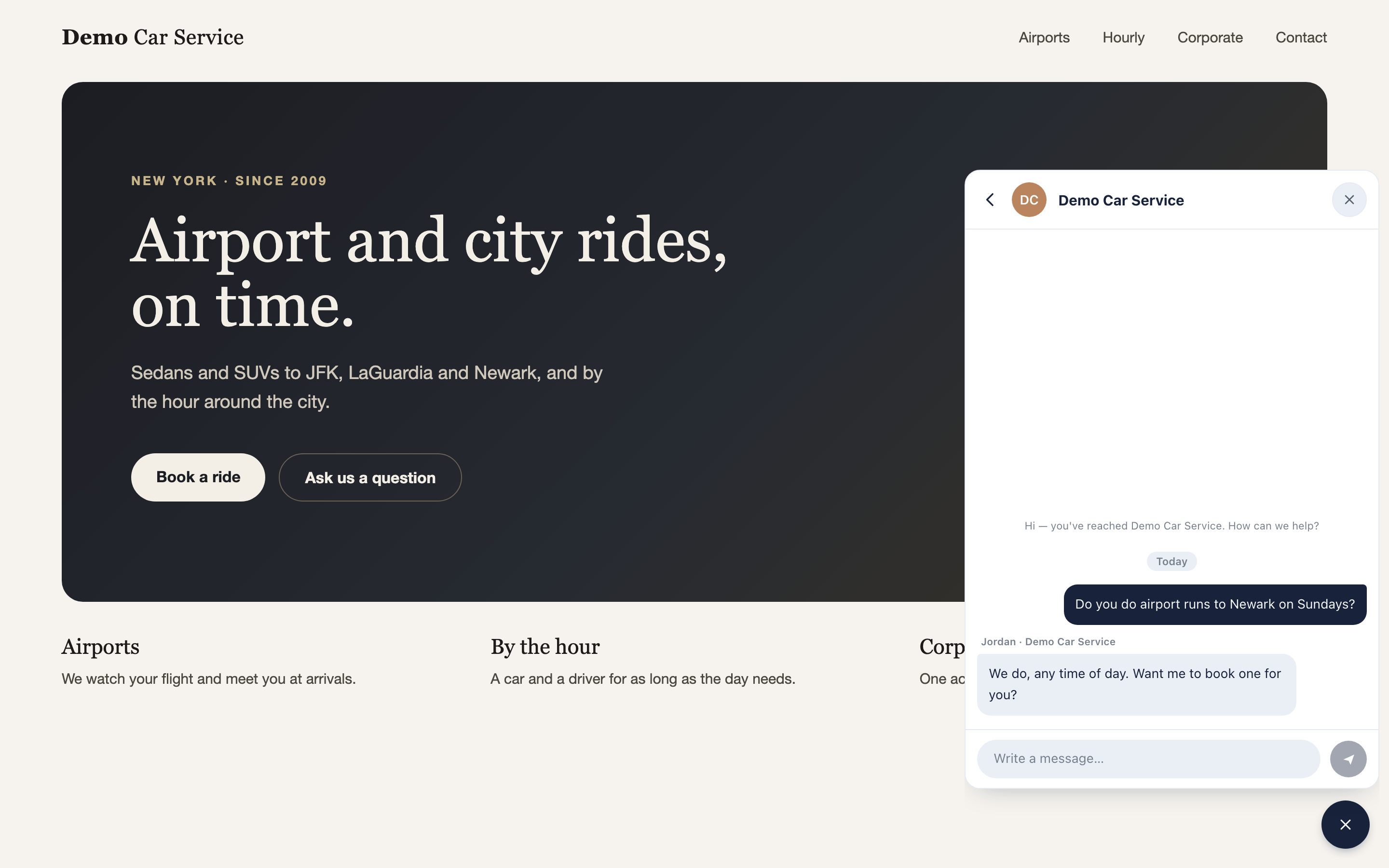
No sign-up and no app. The question lands in your Inbox with a push, and you answer from wherever you are. They see your first name and your typing dots, and the same panel books the trip.
A visitor
The demo company's own website with the RideBits chat panel open in its corner, a visitor's question and the operator's reply under a first name and the company
You · phone
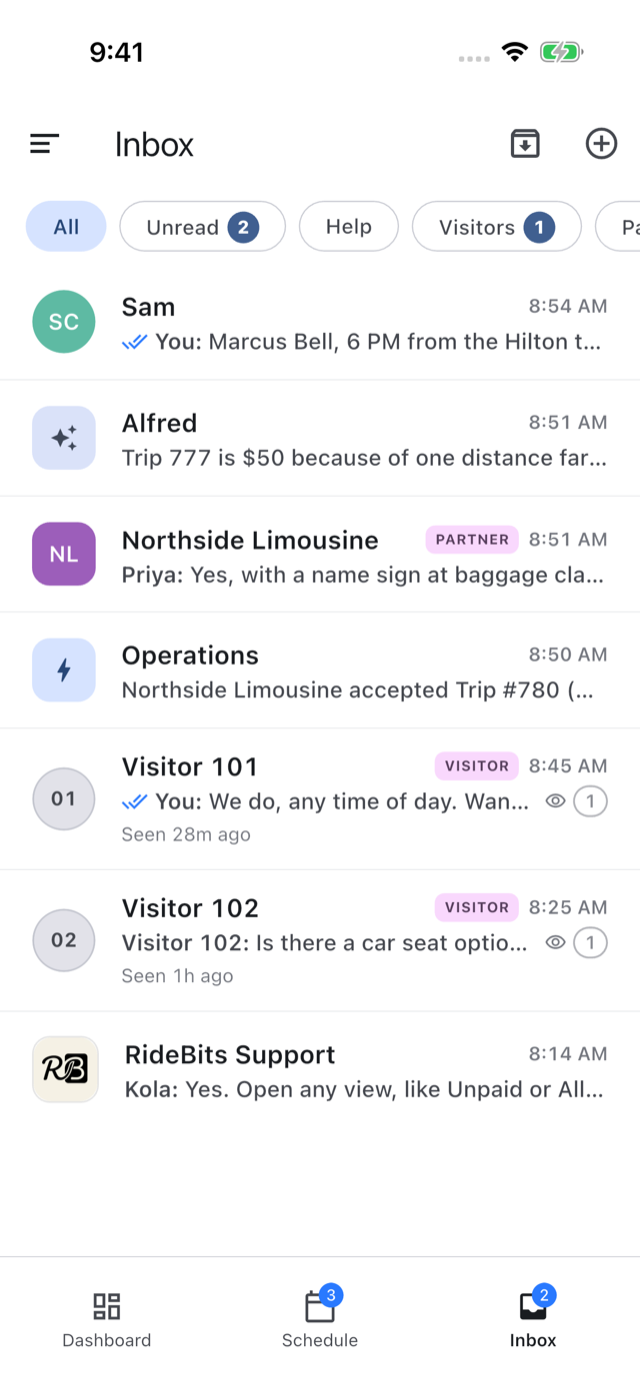
The operator's Inbox on a phone, with the website's visitors among the chats with a driver, a partner, Alfred, Operations and RideBits Support

Your client asks to move the pickup.

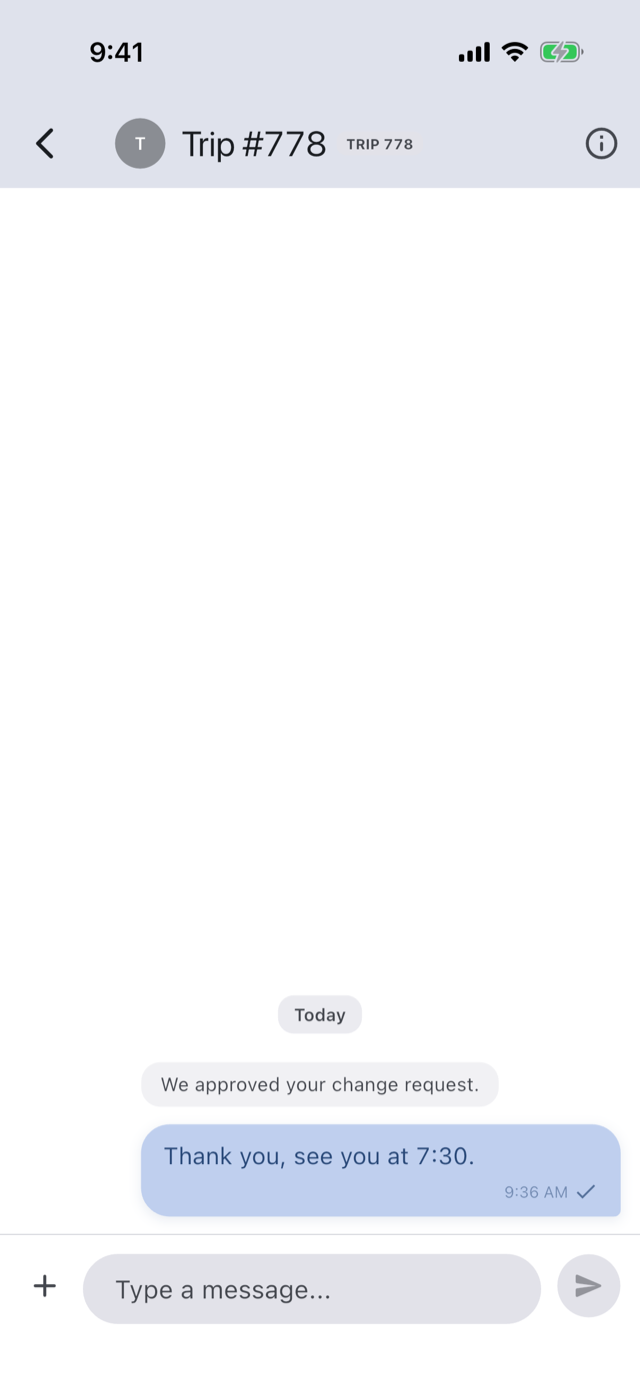
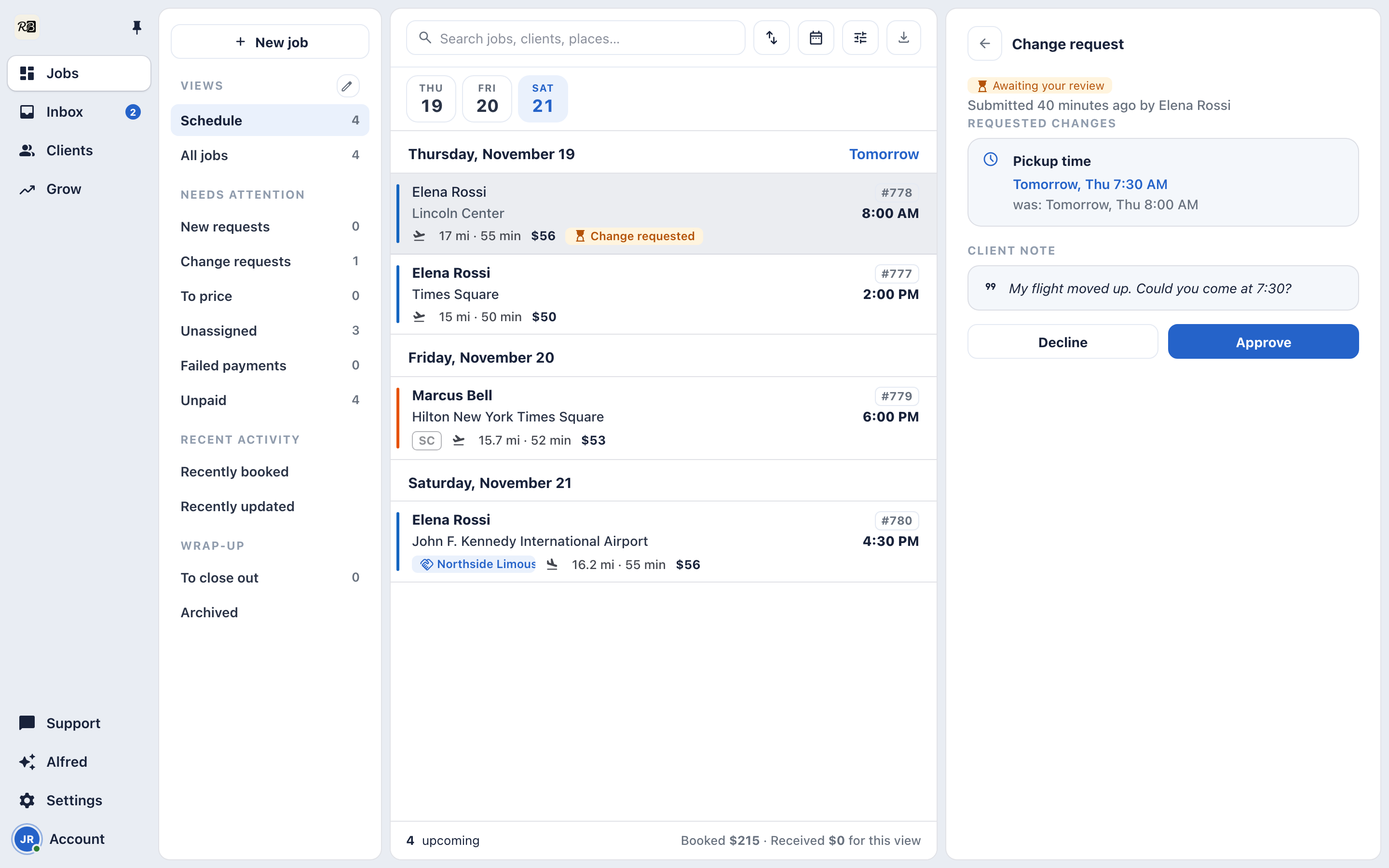
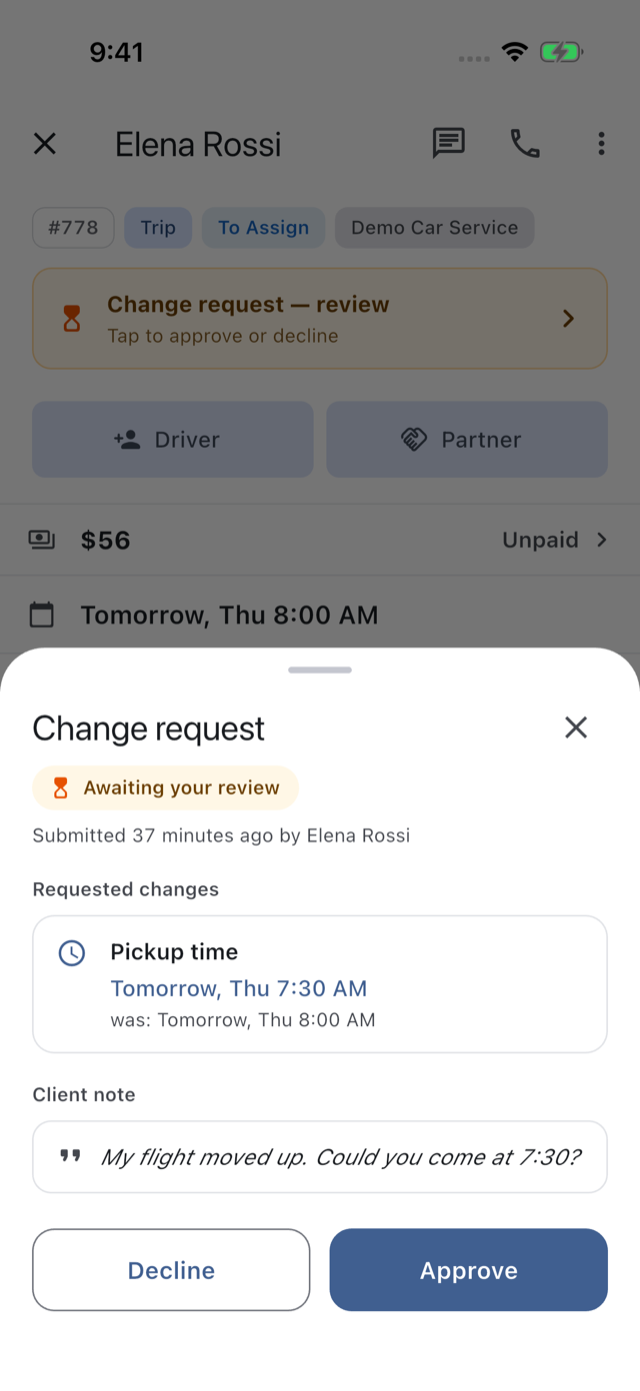
One request, and nothing changes yet. A card lands in your Operations chat, and the trip shows what they asked for. Approve applies it in one tap, and your client reads “We approved your change request.”
You · desk
The client's change request in the Console's trip pane, the new pickup time beside the old one, the client's note, Decline and Approve
You · phone
The client's change request on the operator's phone, the new pickup time beside the old one, the client's note, Decline and Approve
Your client
The client's trip in the app after their change request was approved, with the new pickup time and the line "We approved your change request."

Your driver gets the offer as a card.

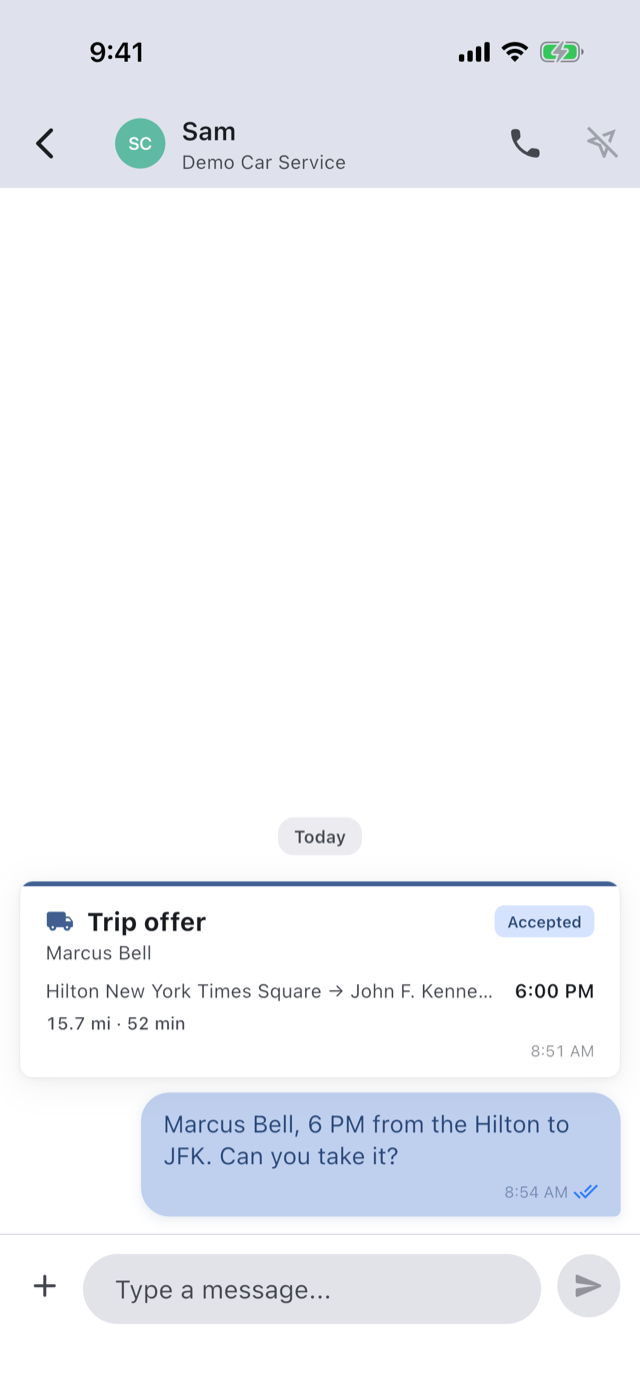
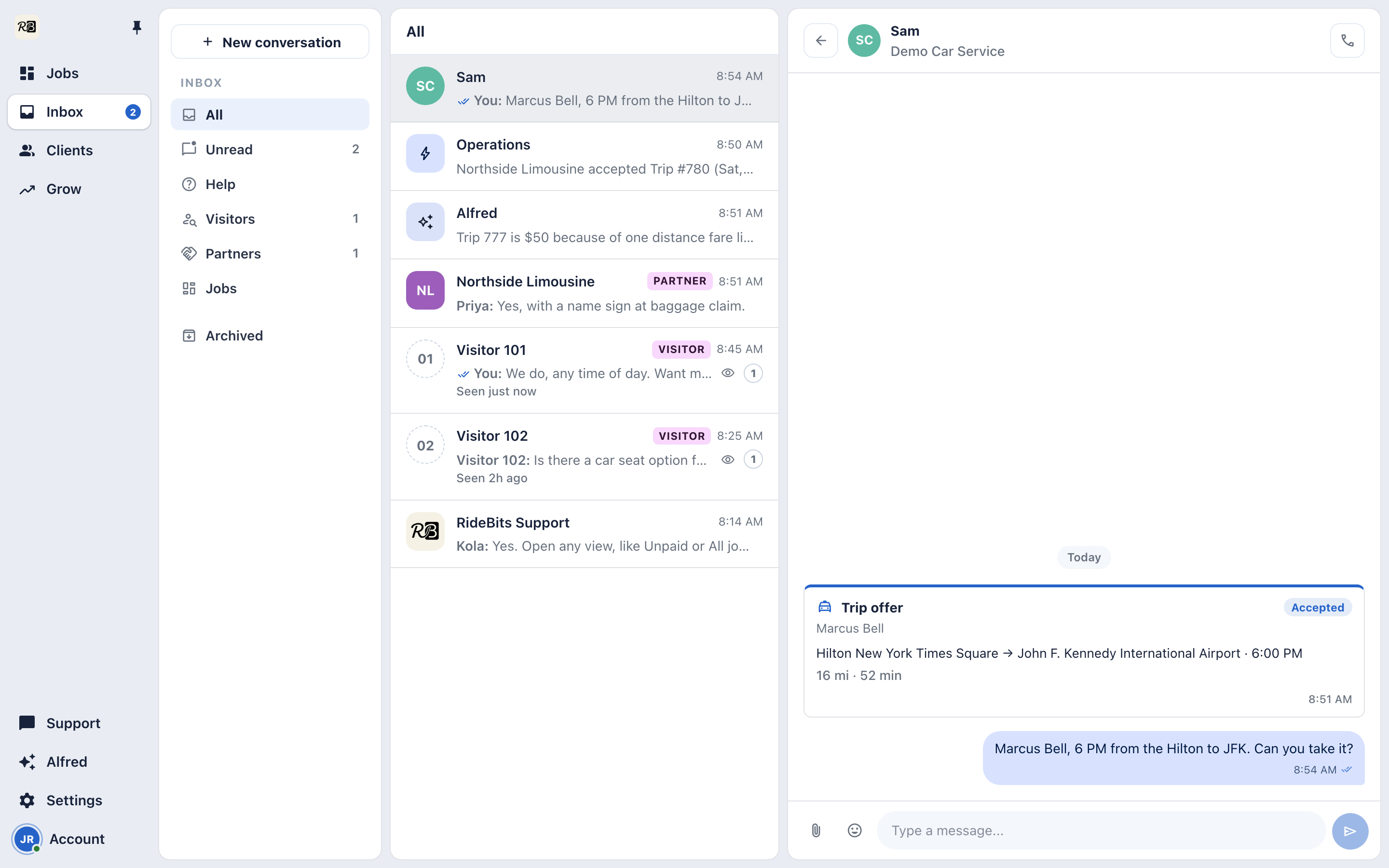
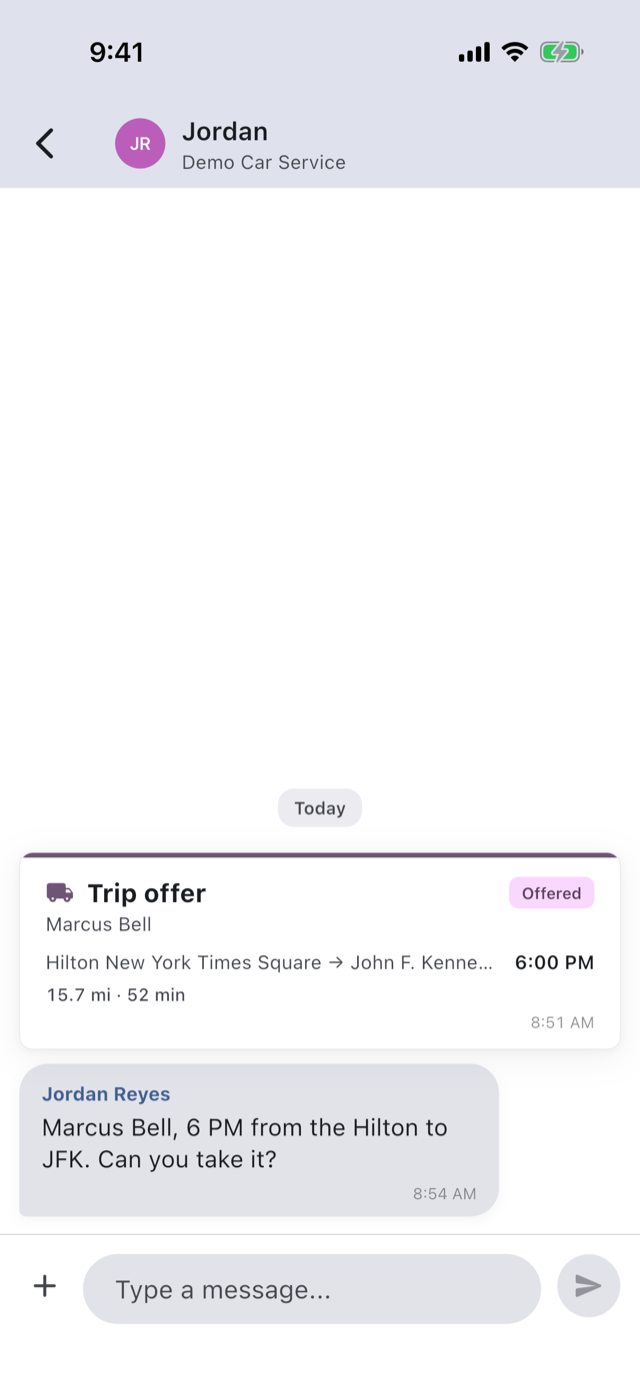
Offer a trip and it lands in your chat with the driver, with a push. Accept puts them on the trip, and the card turns Accepted. From then on they’re in the trip’s chat.
You · desk
The Console's chat with the driver, the offer card now reading Accepted
Your driver
The driver's chat with the office on their phone, the trip offer as a card, Offered, and the office's note about it
You · phone
The operator's chat with the driver on a phone, the offer card now reading Accepted

Your partner’s office is one chat away.

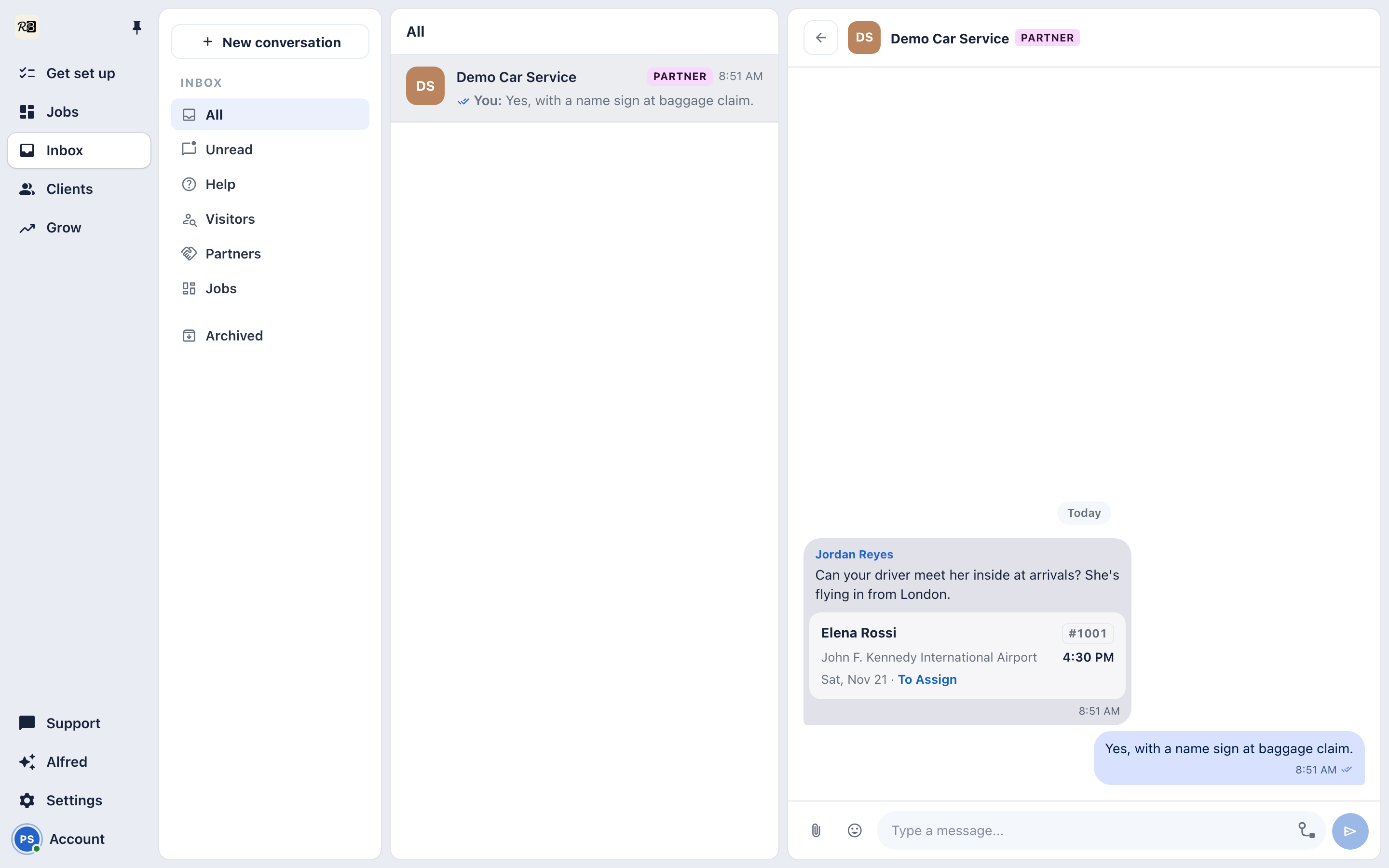
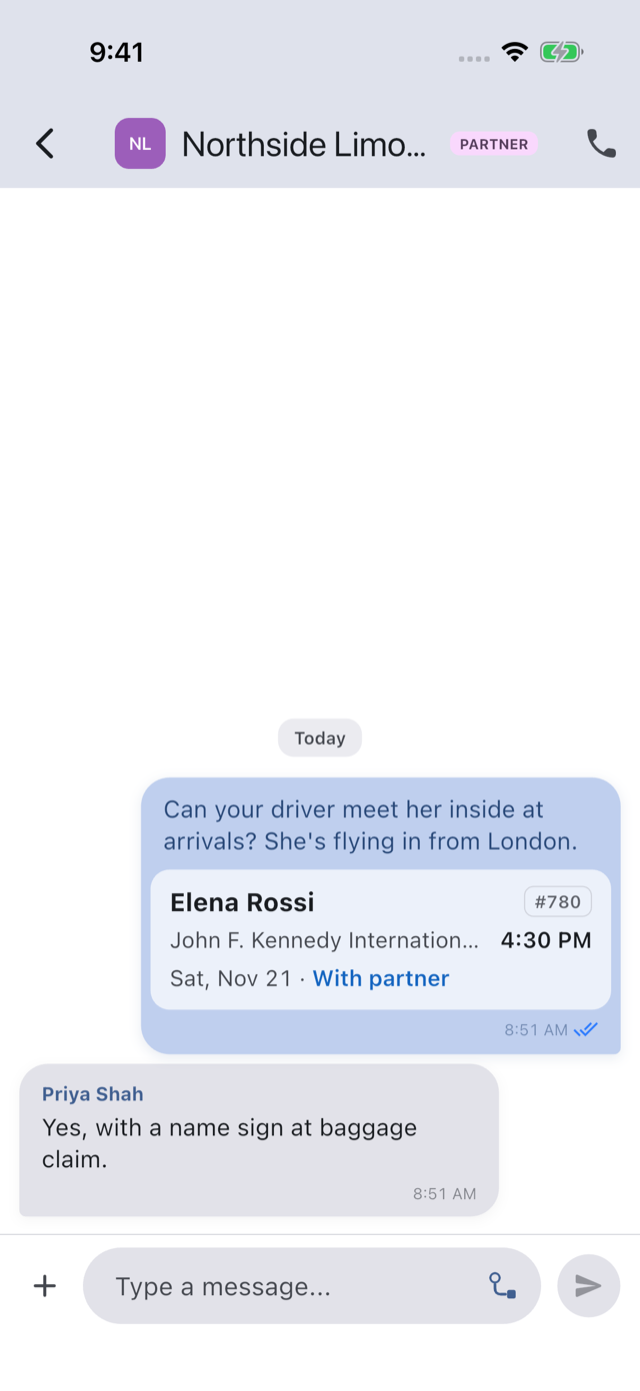
One chat for the two companies, both offices in it. A trip you add shows as a card in each side’s own trip number and follows the trip live. Your client never sees any of it.
Your partner
The partner company's Console with the chat between the two offices, a trip card in the partner's own trip number
You · phone
The operator's chat with the partner on a phone, the same trip as a card in the operator's own trip number

Ask Alfred why a trip cost what it did.

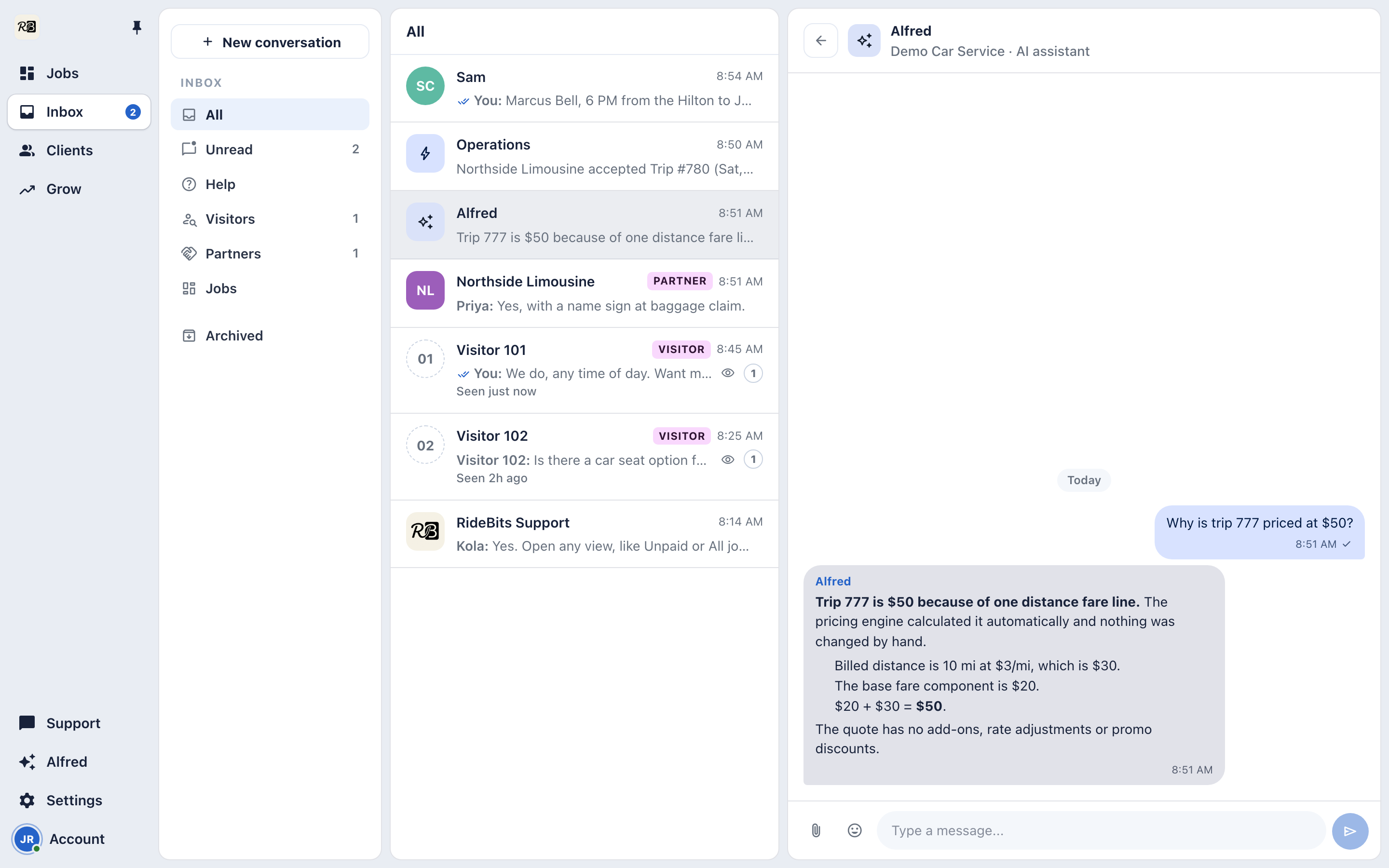
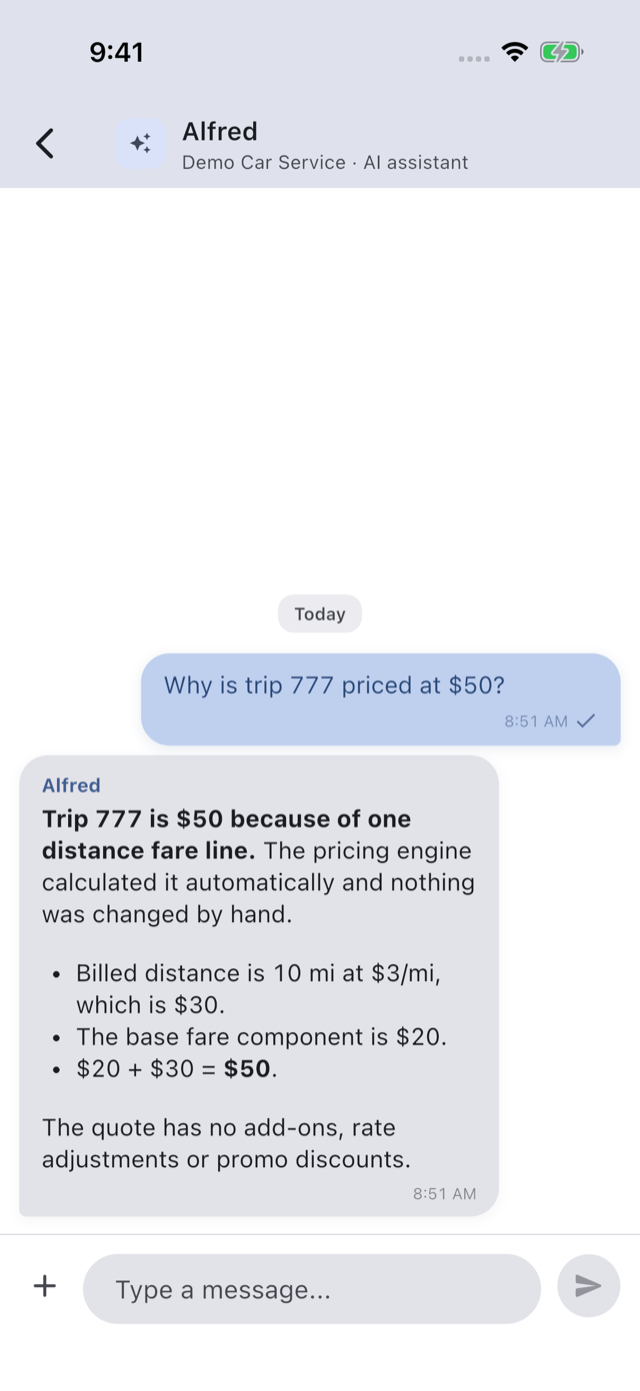
“Why is trip 777 priced at $50?” Alfred answers from your real rates and trips, and walks the price line by line.
You · desk
Alfred in the Console, a price question asked and the answer broken down line by line
You · phone
The operator's chat with Alfred on a phone, a price question asked and the answer broken down line by line

When you want a person, we’re in the same Inbox.

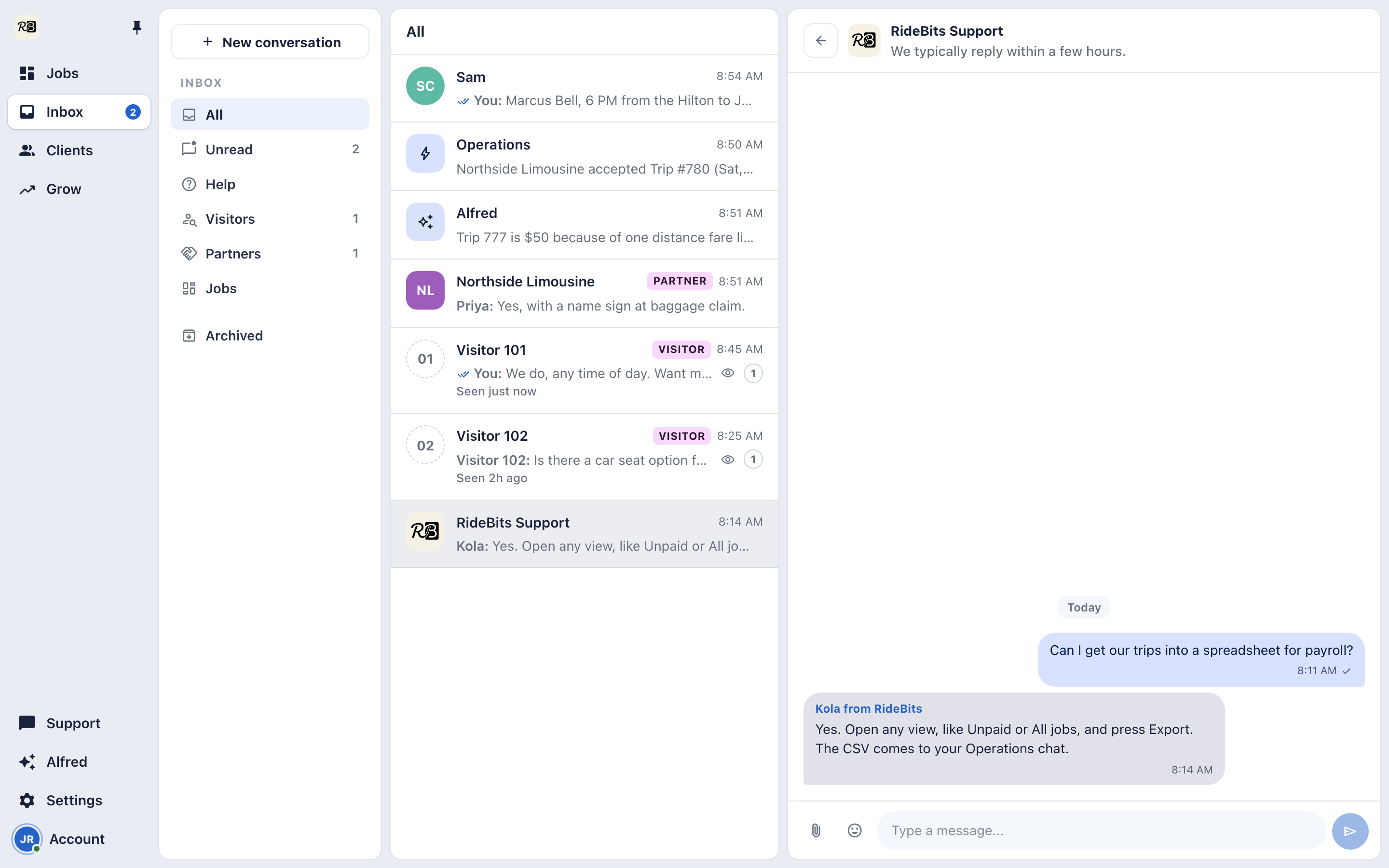
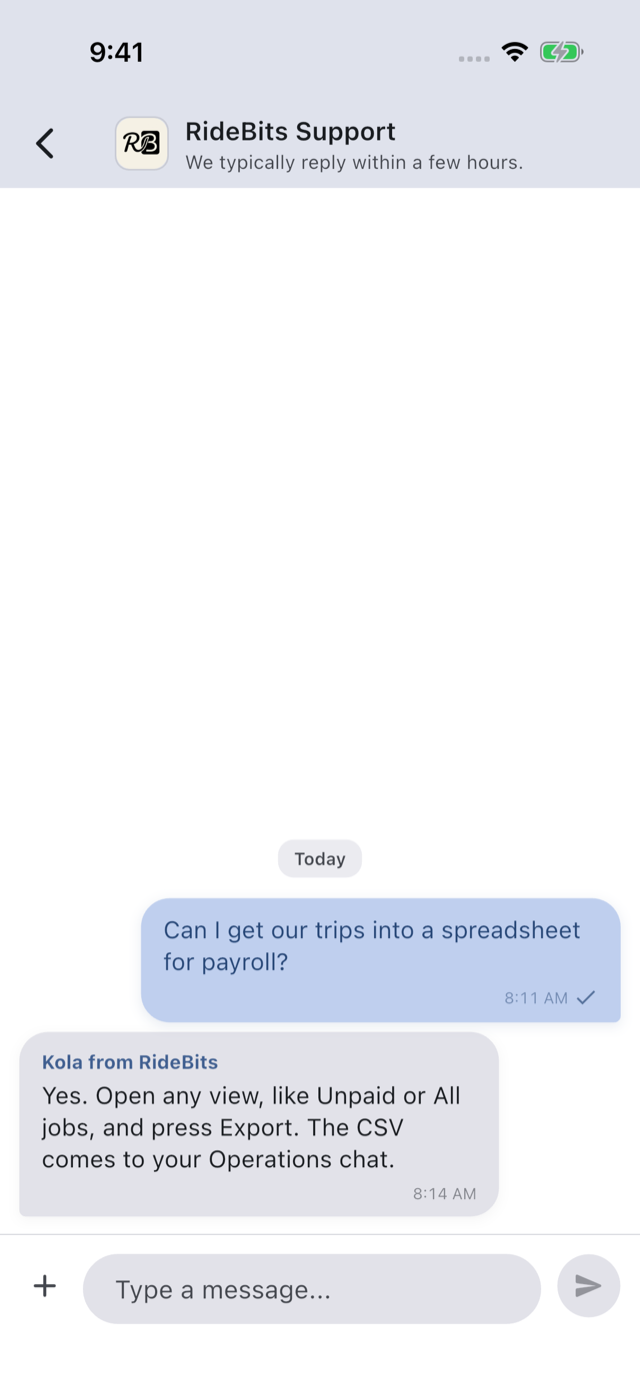
Talk to RideBits support opens with a message already drafted for you to edit and send. A person from our team answers right there, next to your clients and drivers.
You · desk
RideBits Support in the Console, with a reply from a named person at RideBits
You · phone
The operator's RideBits Support chat on a phone, with a reply from a named person at RideBits
The full list

Everything in Conversations.

One inbox, every relationship

Trip chats, your team, client help requests, visitors writing from your booking page, RideBits Support and Alfred, in one list on your phone and in the Console.

How it works →

Photos, PDFs and links

Send a photo, a screenshot or a PDF in any chat, with link previews. With no signal, a message waits and sends itself when you’re back.

How it works →

Edit and delete

Fix your own message for 15 minutes and delete it for 2 days. Nobody is notified twice.

A chat with each partner

One chat between your office and theirs. A trip you add shows as a card in each side’s own trip number. No drivers and no clients are in it.

How it works →

Notifications

Pushes and in-app banners for new bookings, offers, changes and messages.

New in Conversations

Everything that’s new →
Nov 5 Your office. Their office. One chat. One chat between your company and a partner: both offices in it, trips as live cards in your own trip numbers, and your clients never see it. Oct 15 Send it from the garage. It still arrives. Send photos, PDFs and links in chat, and with no signal a message waits with a clock and sends itself when the connection returns.
The rest of the product
Booking Dispatch On-demand Rates and add-ons Getting paid Clients Partners The Console Alfred

See it on your own trips.

The 14-day trial is the whole app: your booking page, your rates, your drivers, your payments.