Product On-demand
Optional. Off until you turn it on.

A new line of work, already in your pocket.

Every company on RideBits starts with scheduled trips, and plenty stay there. When you want to take rides on the spot as well, you turn On-demand on. The same app, the same drivers and the same clients.

Start your free trial
14-day free trial · cancel anytime

See it happen

Your client taps Now.

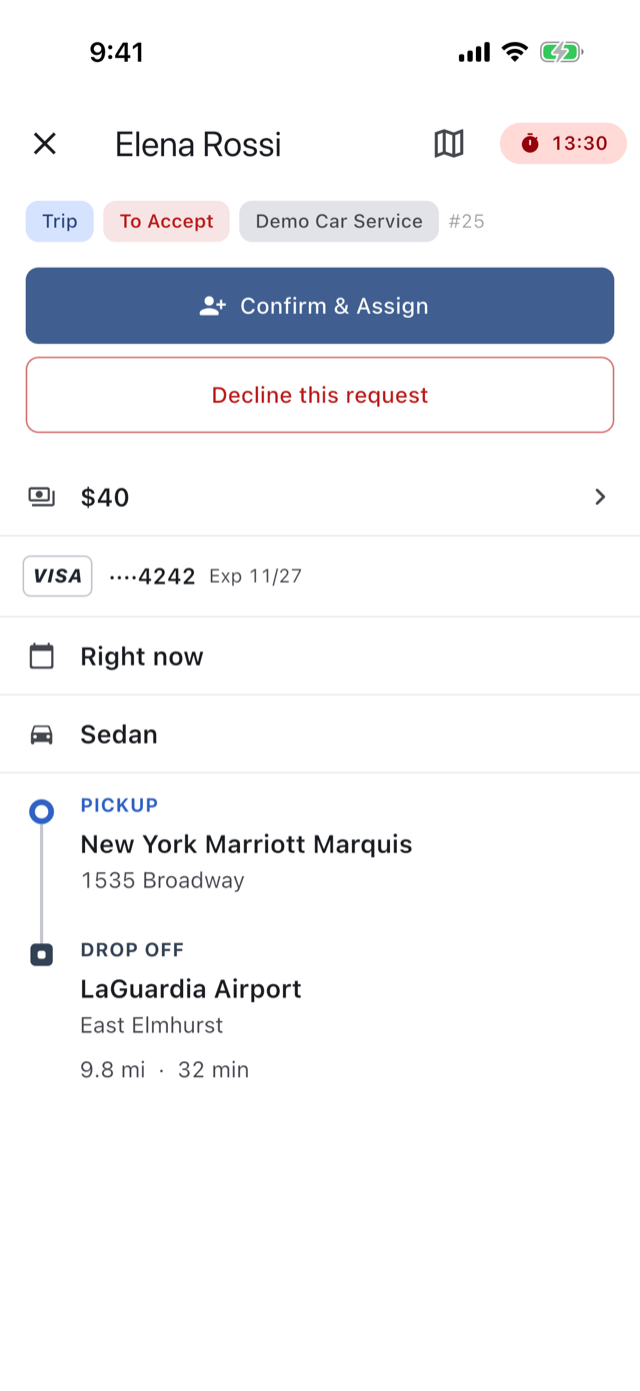
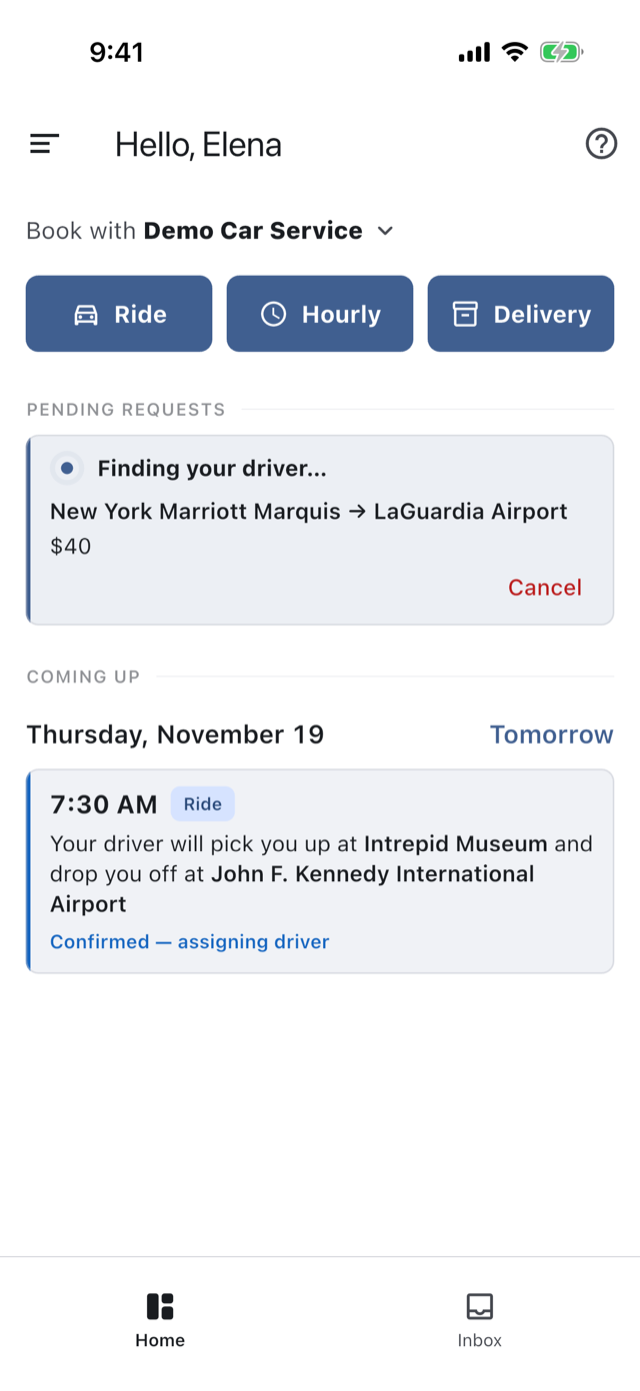
They’re told how long you’ll take to confirm a driver, and they wait on “Finding your driver…” with the route and the fare in front of them.
You · desk
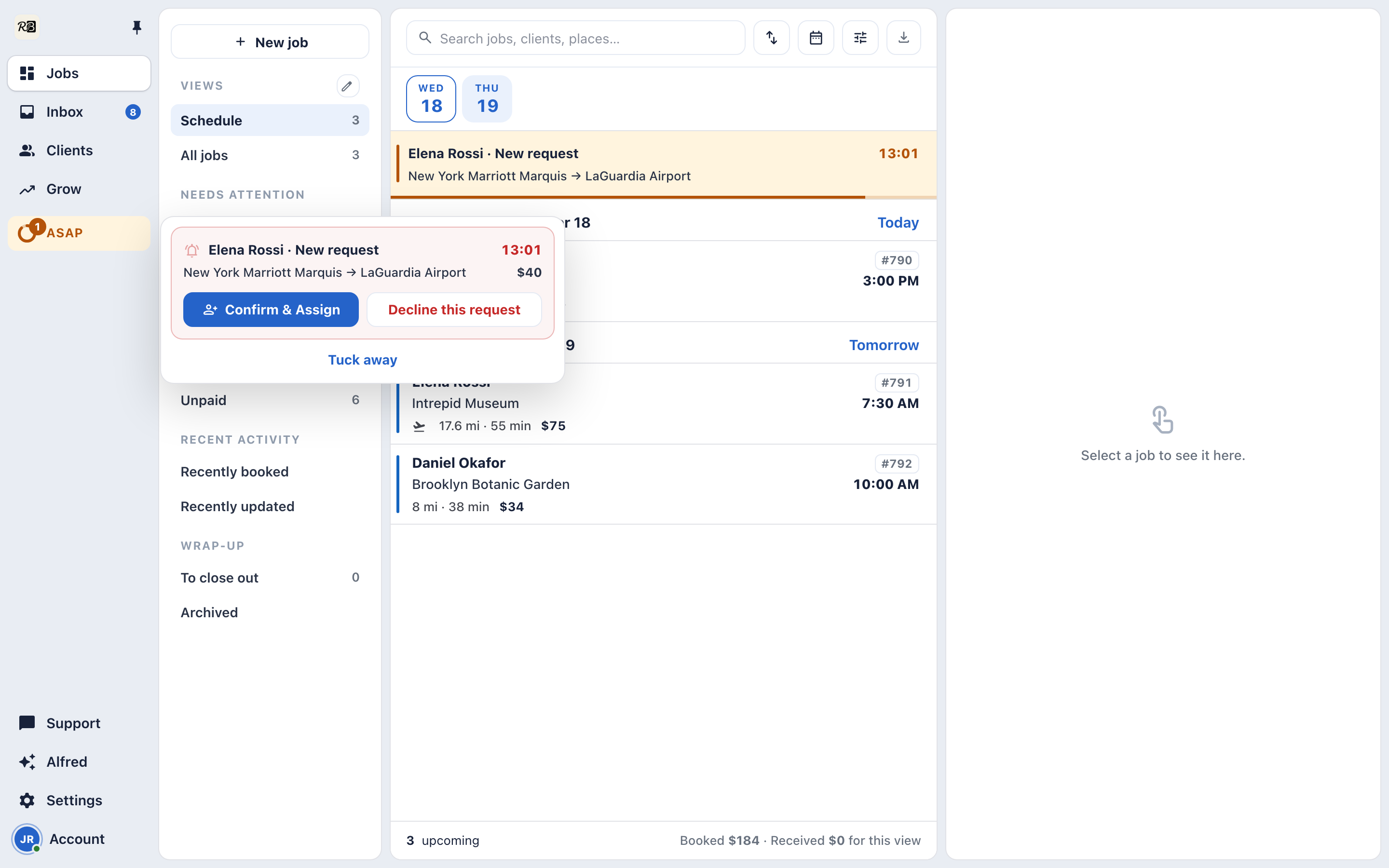
The Console with the ASAP pill lit and the request's tray open over the page, its countdown running
Your client
The client's home in the RideBits app after tapping Now, "Finding your driver…" with the route
You · phone
The on-demand request on the operator's phone, its countdown running

The request reaches you everywhere at once.

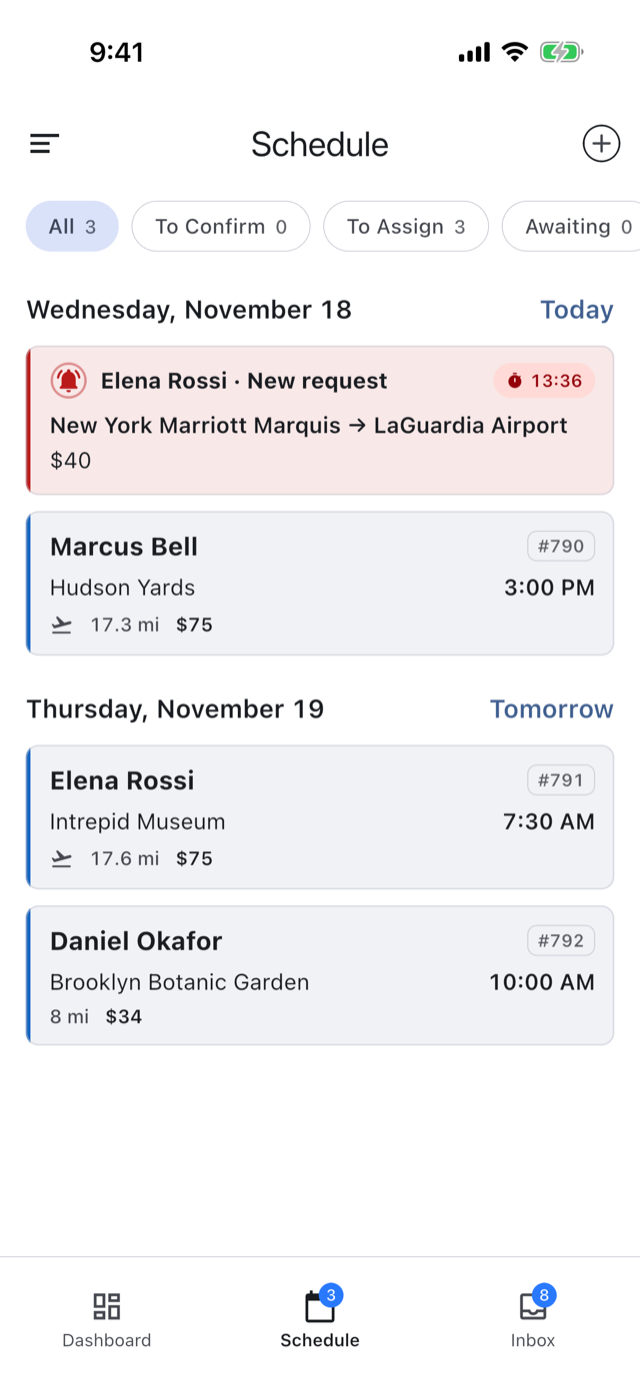
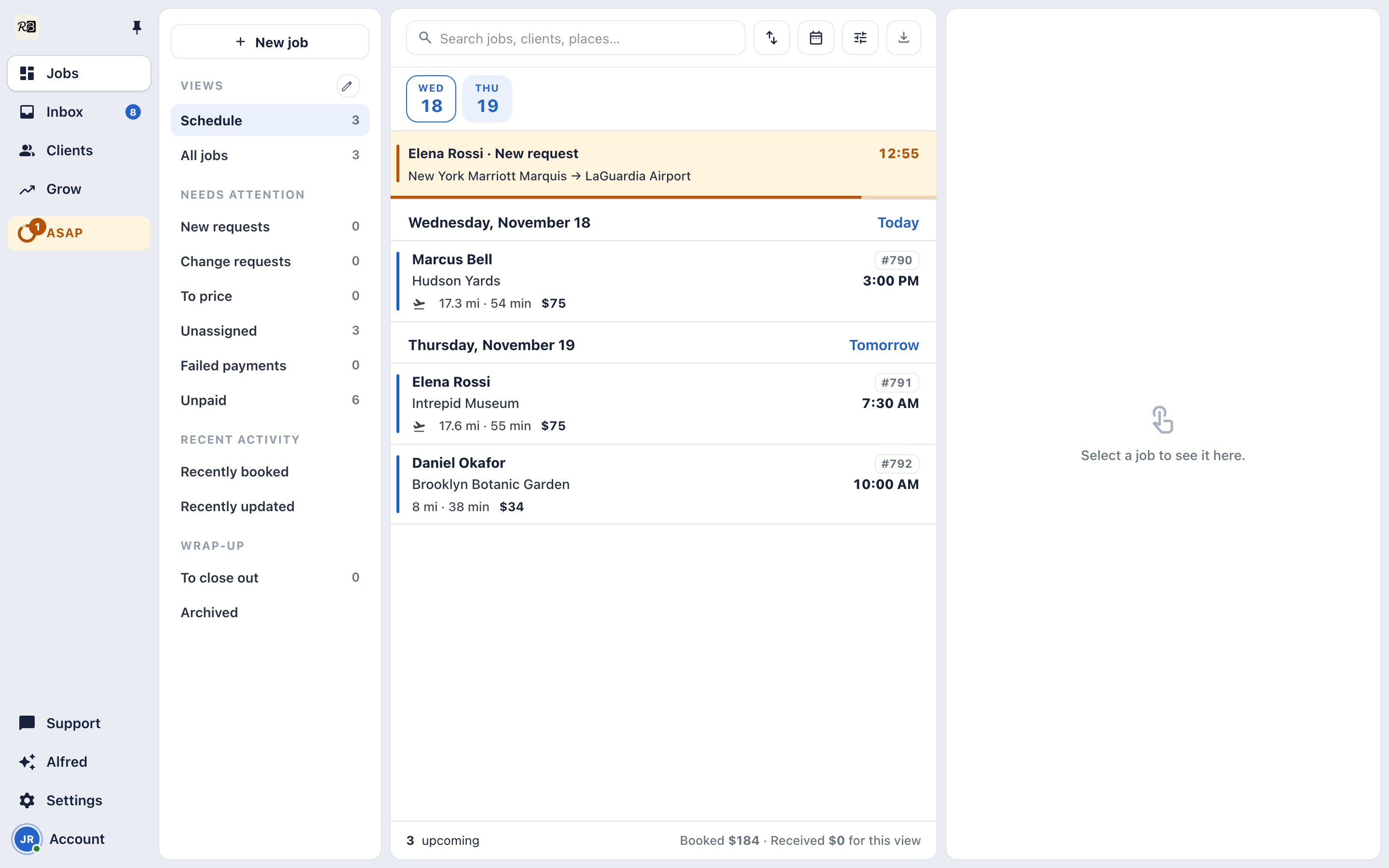
A push, a card at the top of your Schedule, and the Console’s ASAP pill, with the clock running.
You · desk
The Console's Jobs workspace with the ASAP pill and the request at the top of today's Schedule
You · phone
The operator's Schedule on a phone with the on-demand request card at the top and its clock running

Who’s on, nearest first.

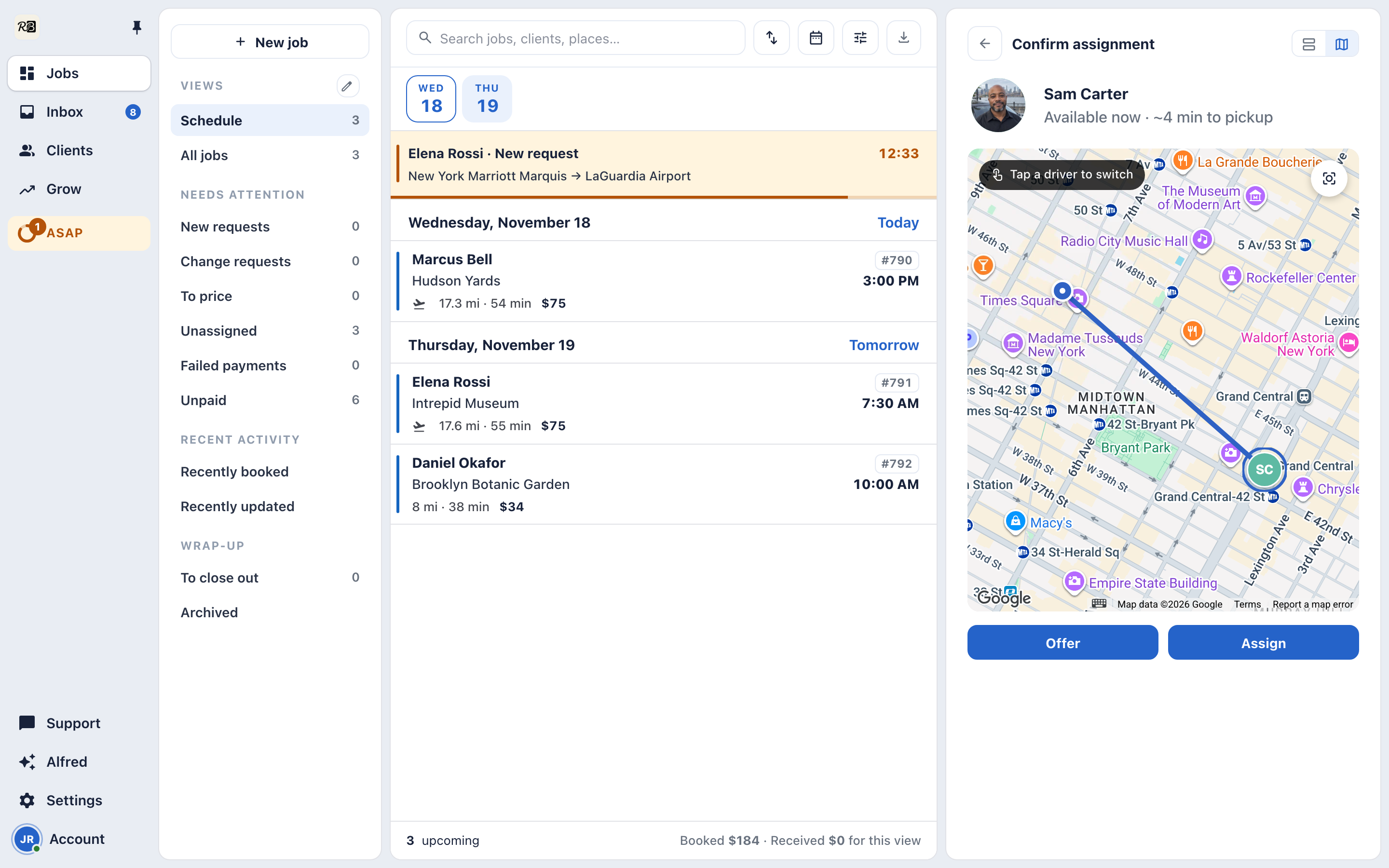
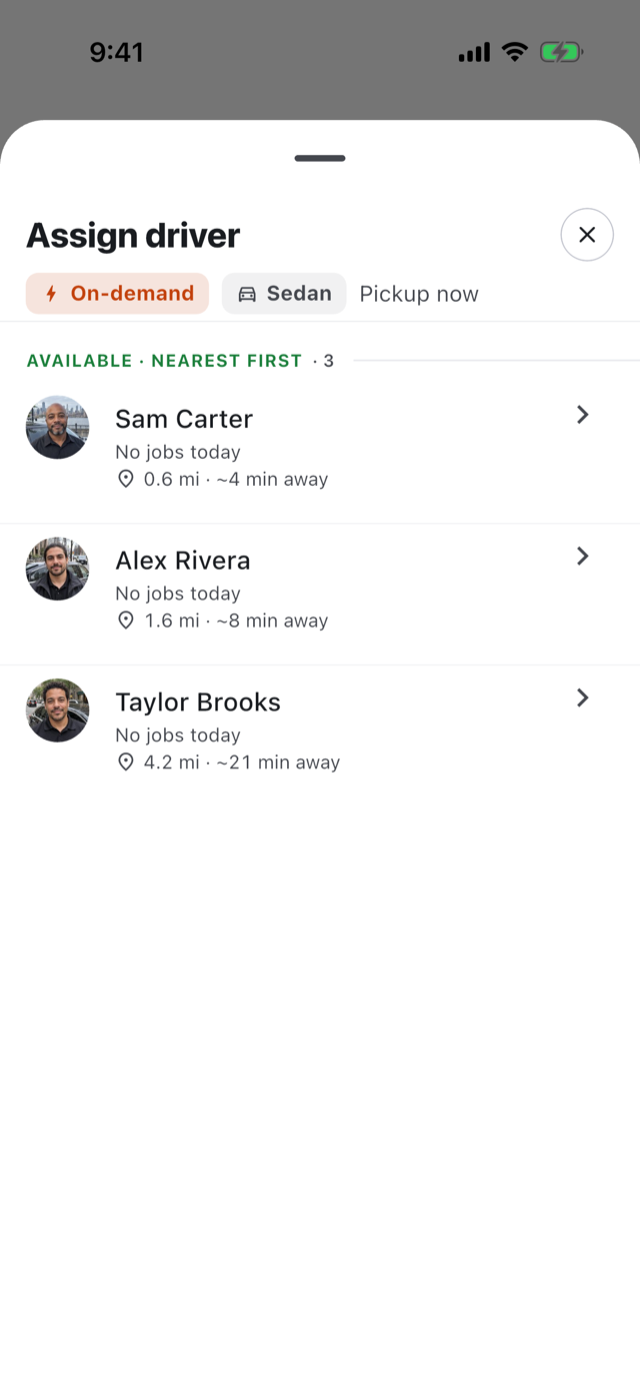
Confirm & Assign lists the drivers who are available, with how far each one is from the pickup, re-ranked as they move. The map shows the pickup and every driver.
You · desk
Confirming an on-demand request in the Console, the nearest driver picked, minutes from the pickup on the map
You · phone
Confirm & Assign on the operator's phone, available drivers listed nearest first with their distance from the pickup

Offer it, and the clock is theirs.

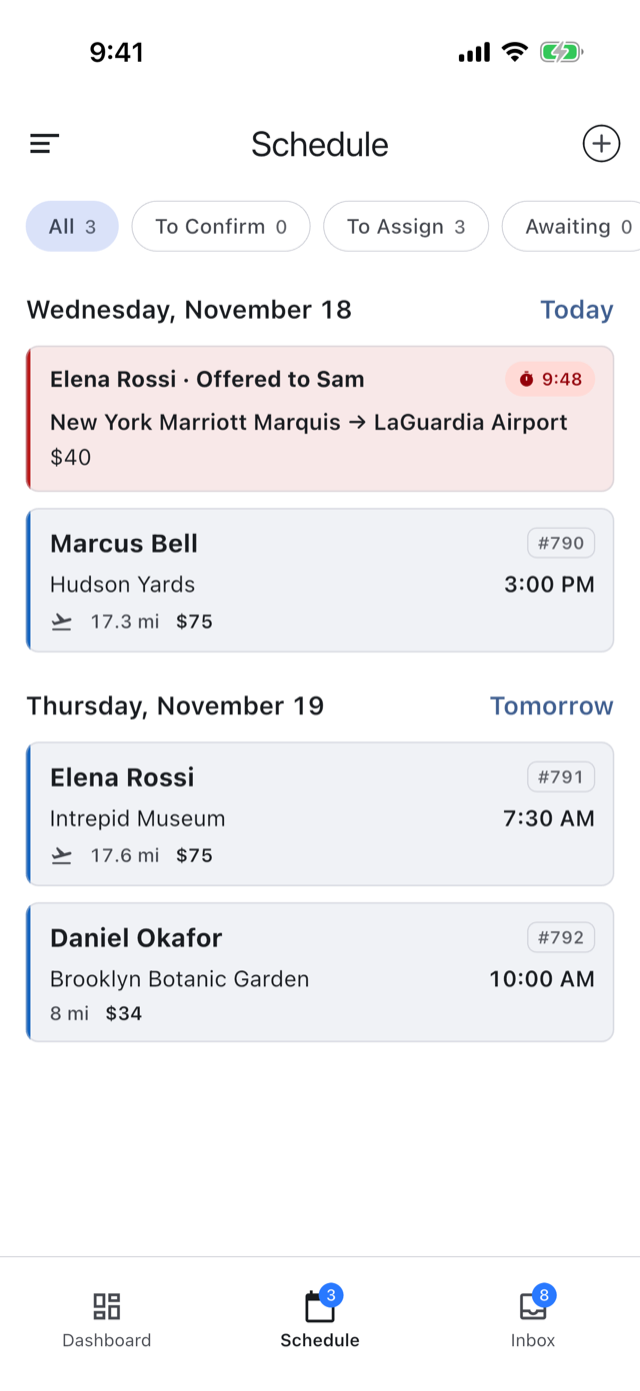
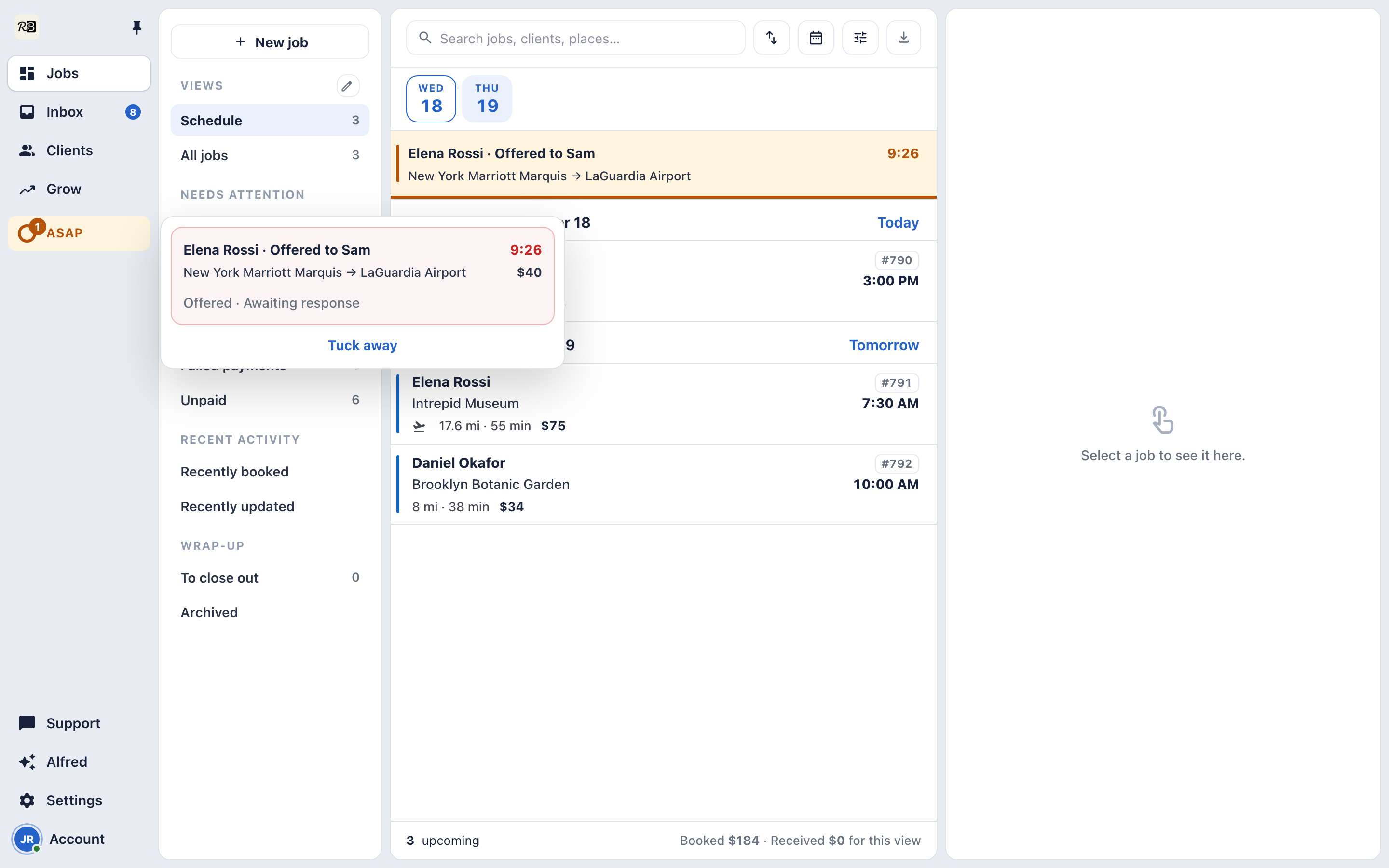
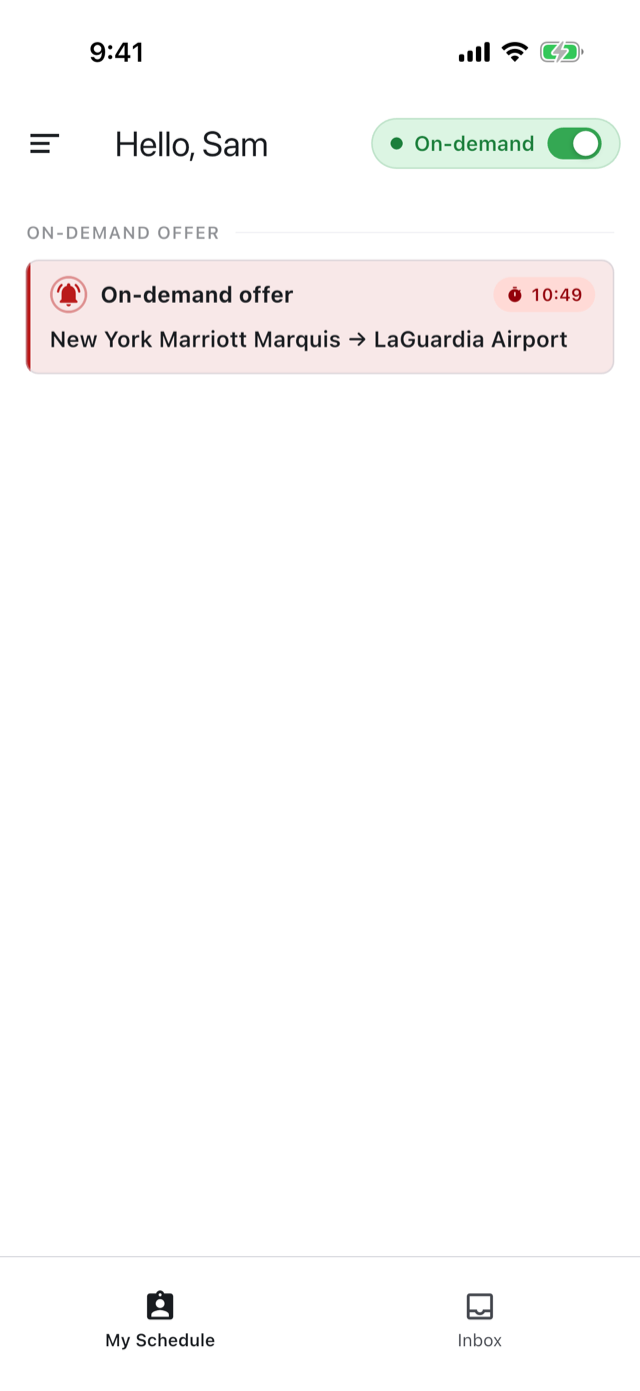
Your driver gets a countdown card. You see who it’s offered to, with the same countdown, and your client’s clock pauses.
You · desk
The request in the Console, offered to the driver, with the same countdown
Your driver
The driver's phone with an on-demand offer card and its countdown
You · phone
The request on the operator's phone, offered to the driver, with the same countdown

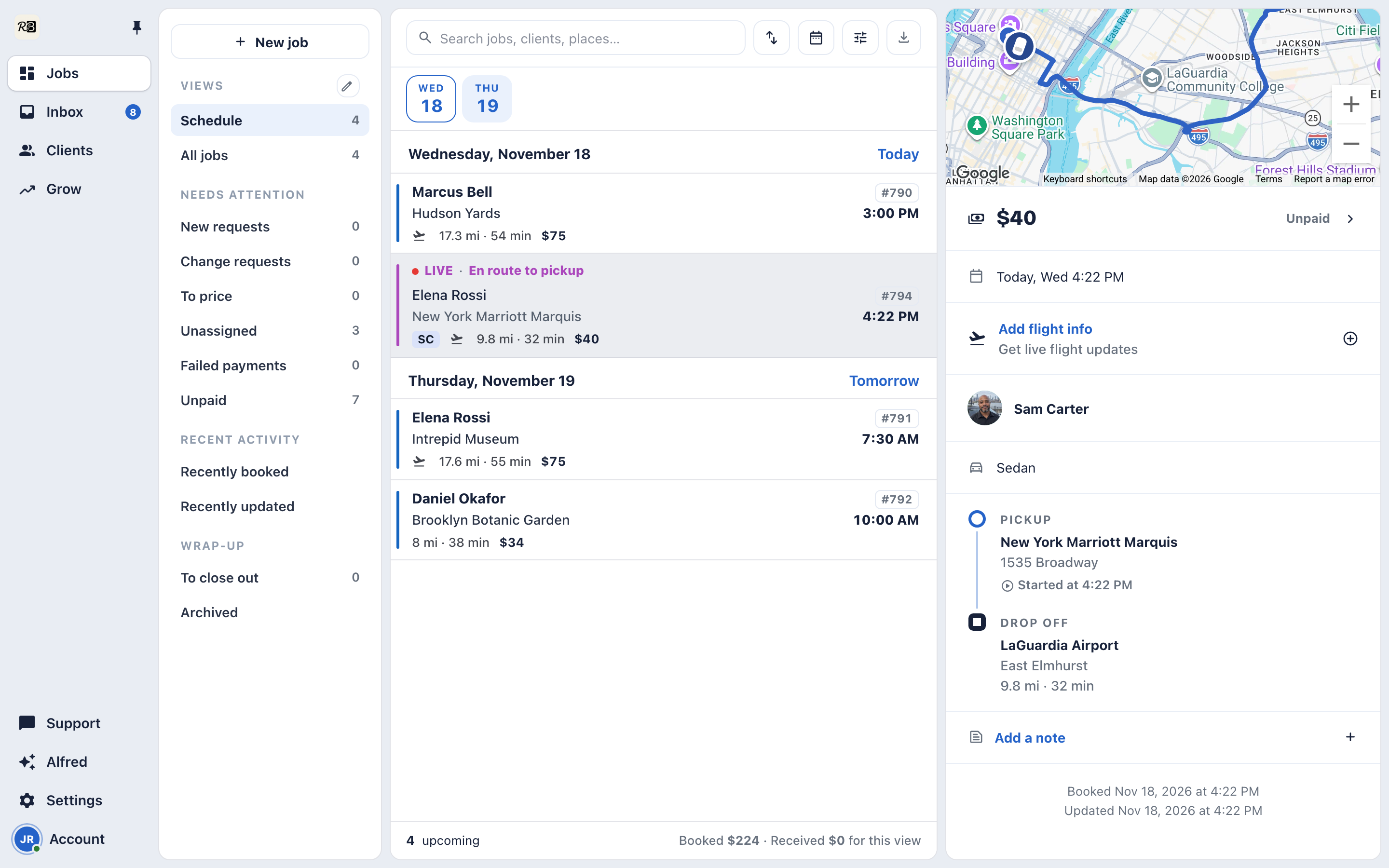
Accepted means already moving.

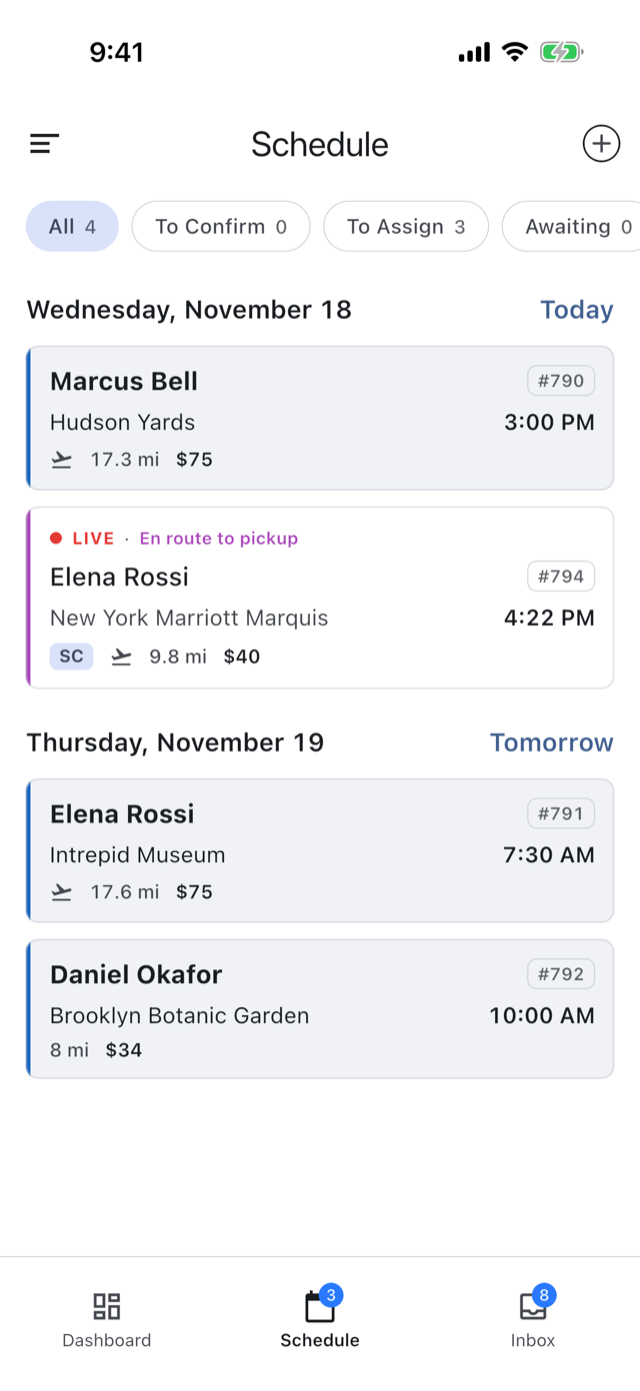
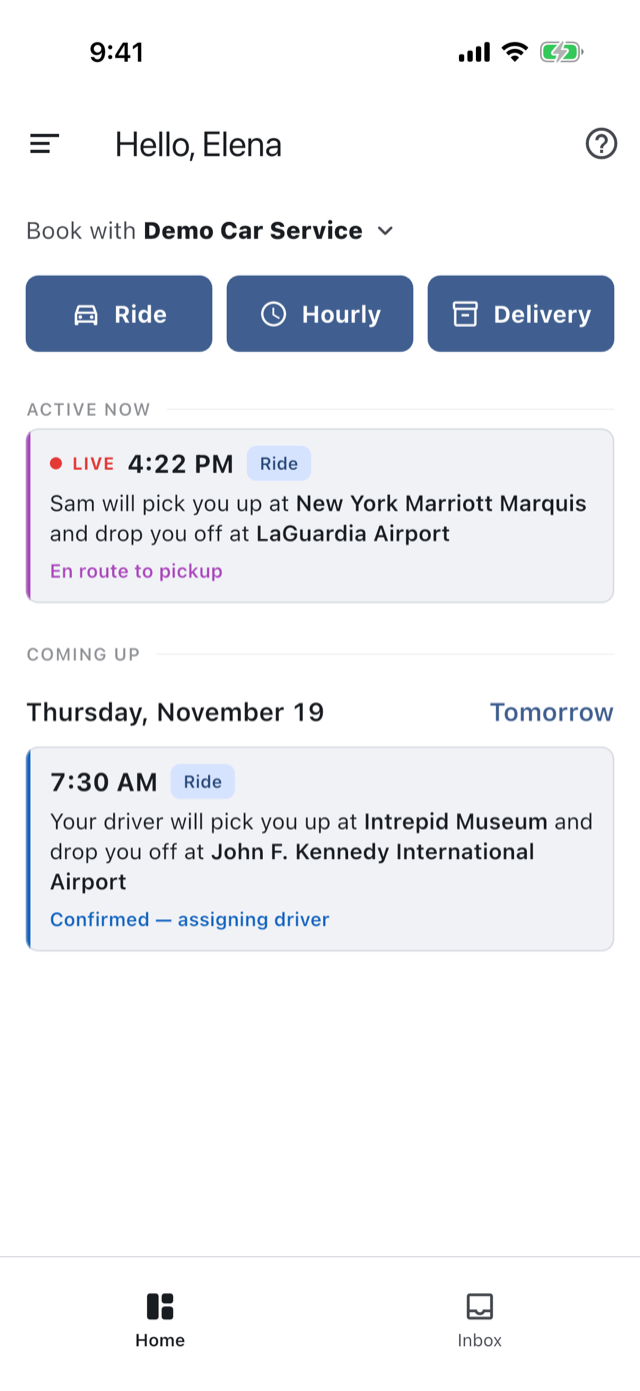
The trip exists and has already started, with no Start Trip step. Your client hears “Sam Carter is on the way.”
You · desk
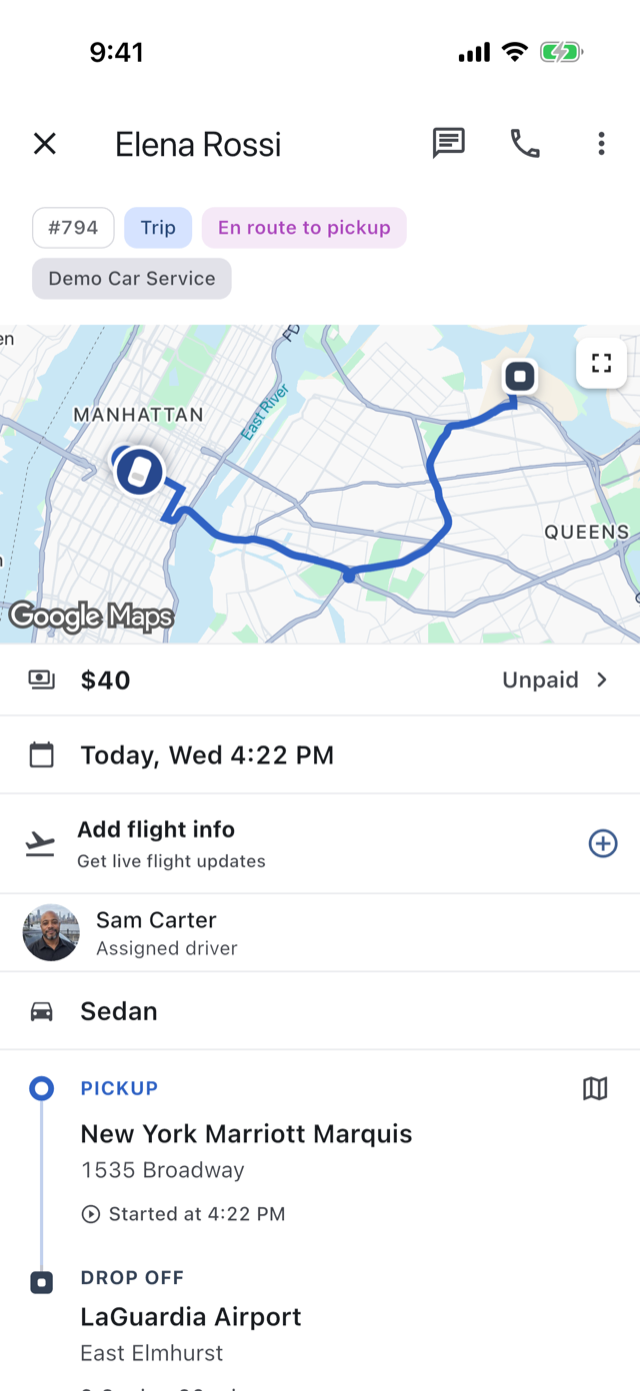
The trip in the Console's pane, in progress, en route to the pickup
Your client
The client's trip on their phone, in progress, their driver on the way
You · phone
The trip on the operator's phone, in progress, en route to the pickup

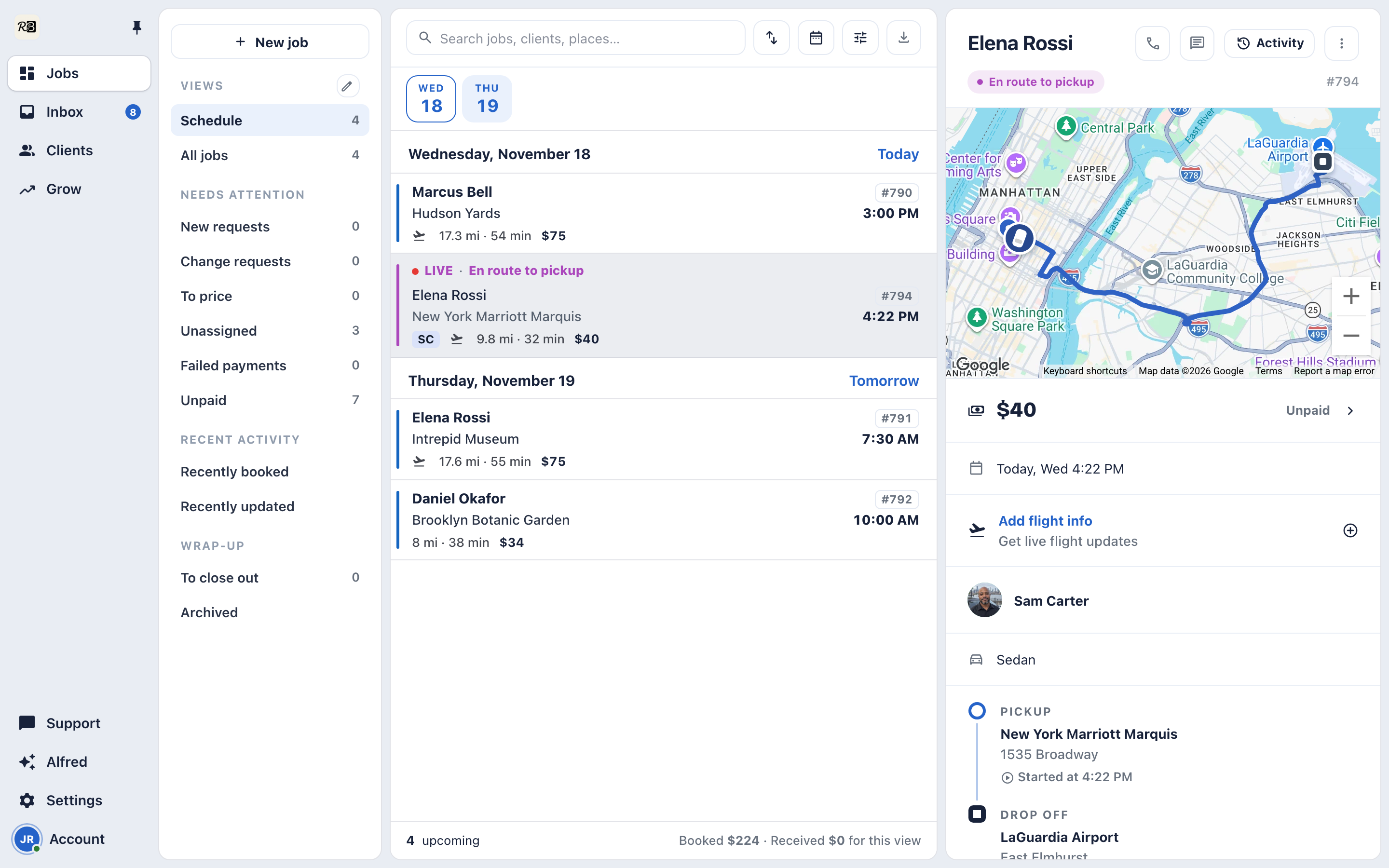
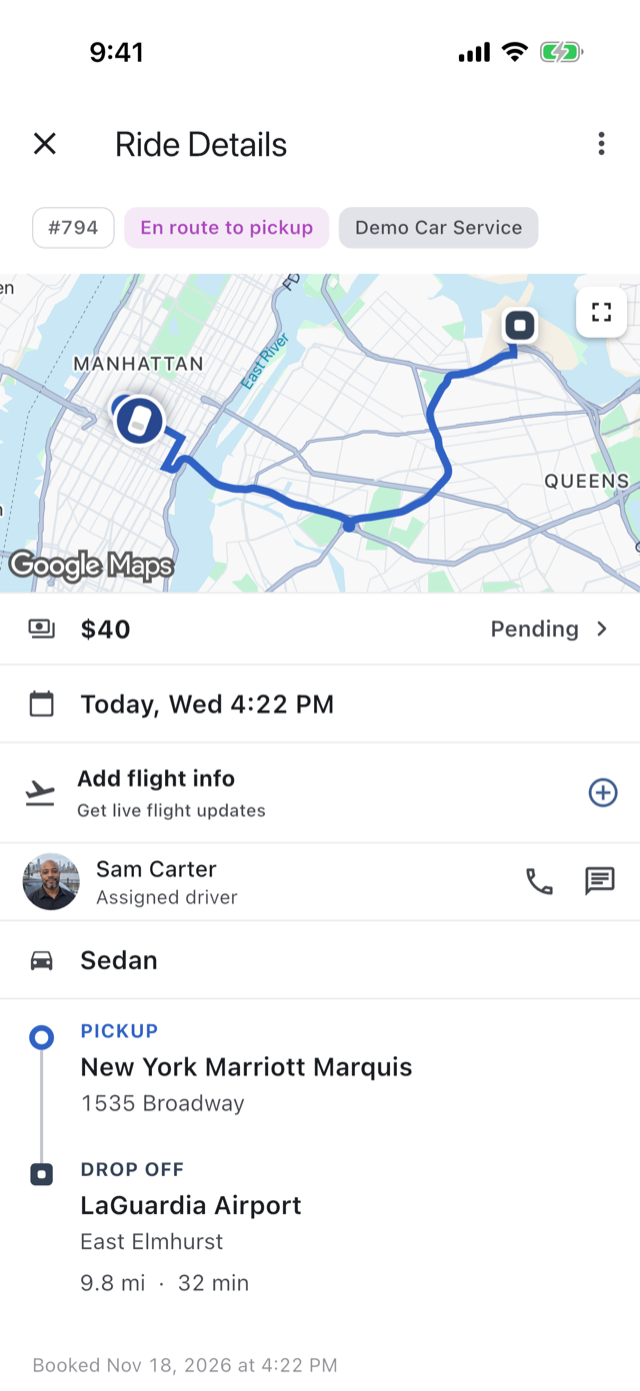
Your client watches the car come.

Their driver is on the map, with a name and a face, and one tap to call or message. You watch the same trip from your side.
You · desk
The trip in the Console's pane with the live map and the driver en route
Your client
The client's live view of the trip, their driver on the map with a name and a face
You · phone
The operator's view of the same trip, the driver on the map
The rest of the product
Conversations Booking Dispatch Rates and add-ons Getting paid Clients Partners The Console Alfred

See it on your own trips.

The 14-day trial is the whole app: your booking page, your rates, your drivers, your payments.