Your day, in order.
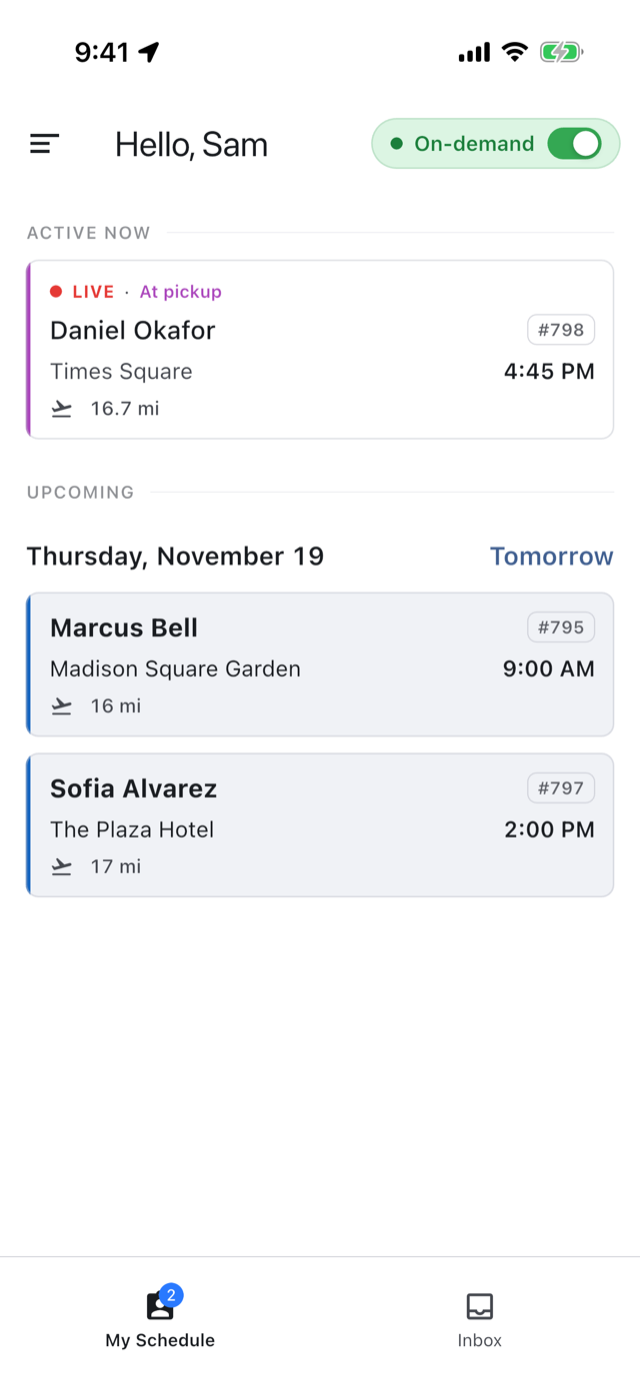
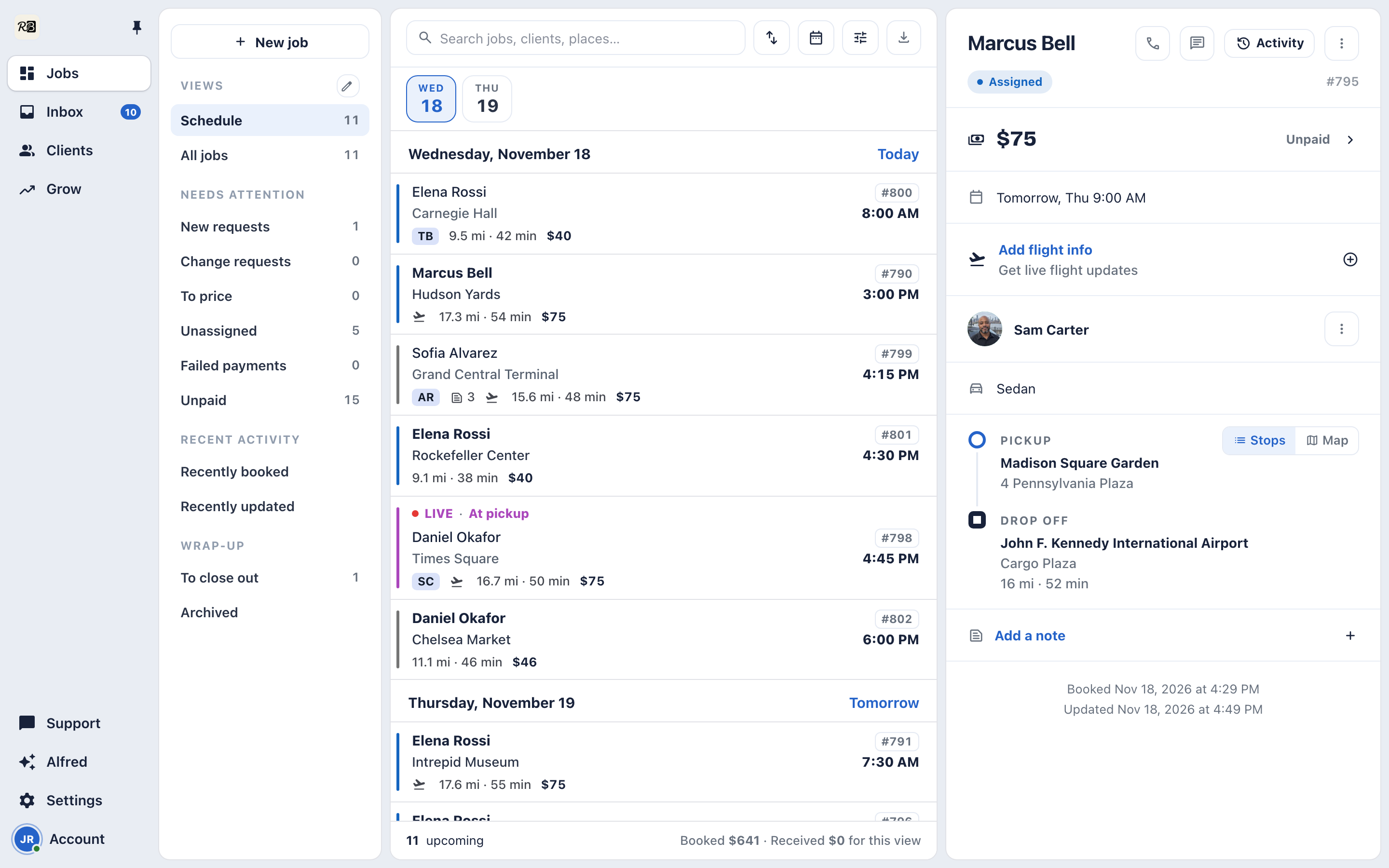
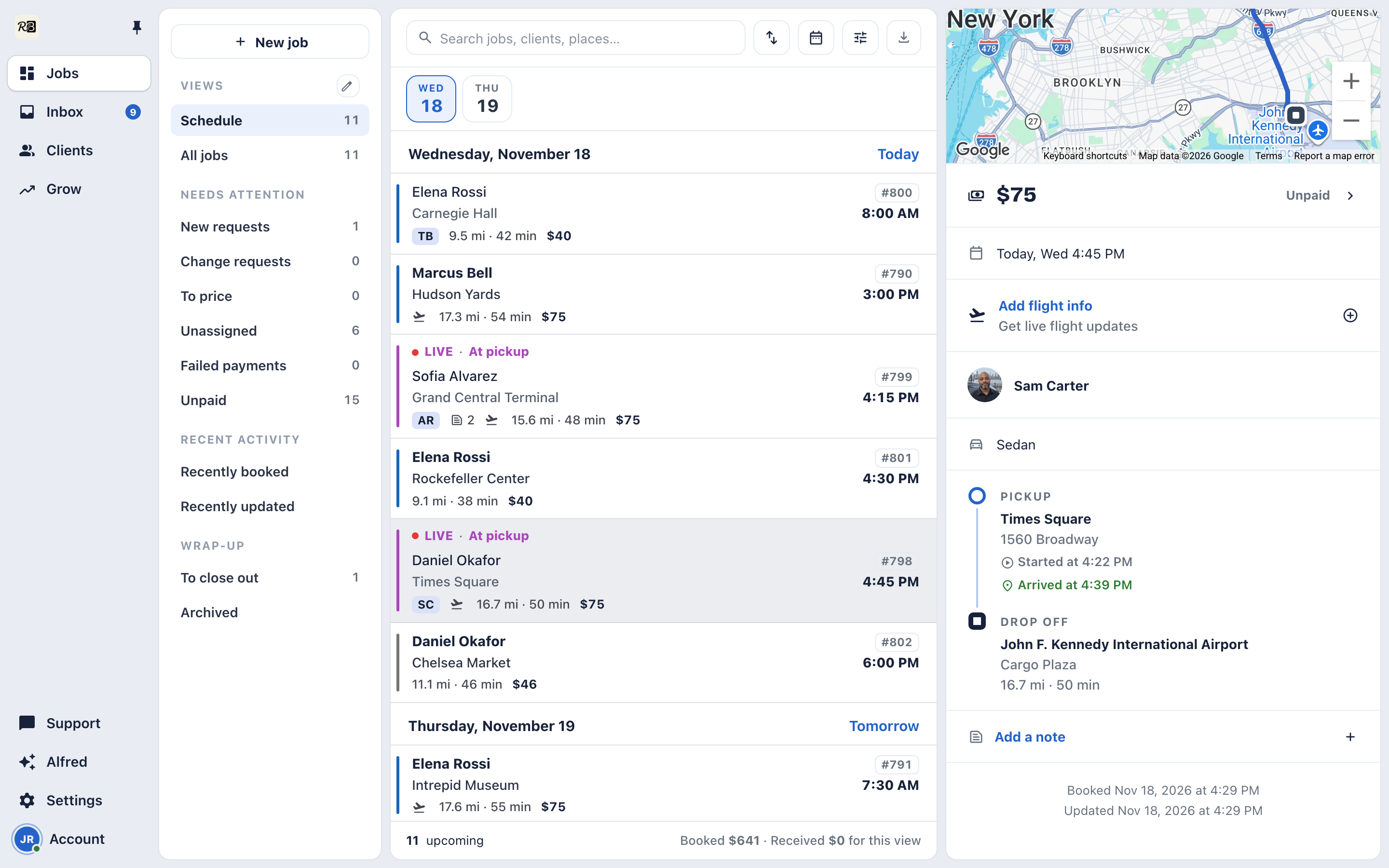
Every trip by its pickup time, and what still needs you counted at the top, from trips to confirm to trips to assign.
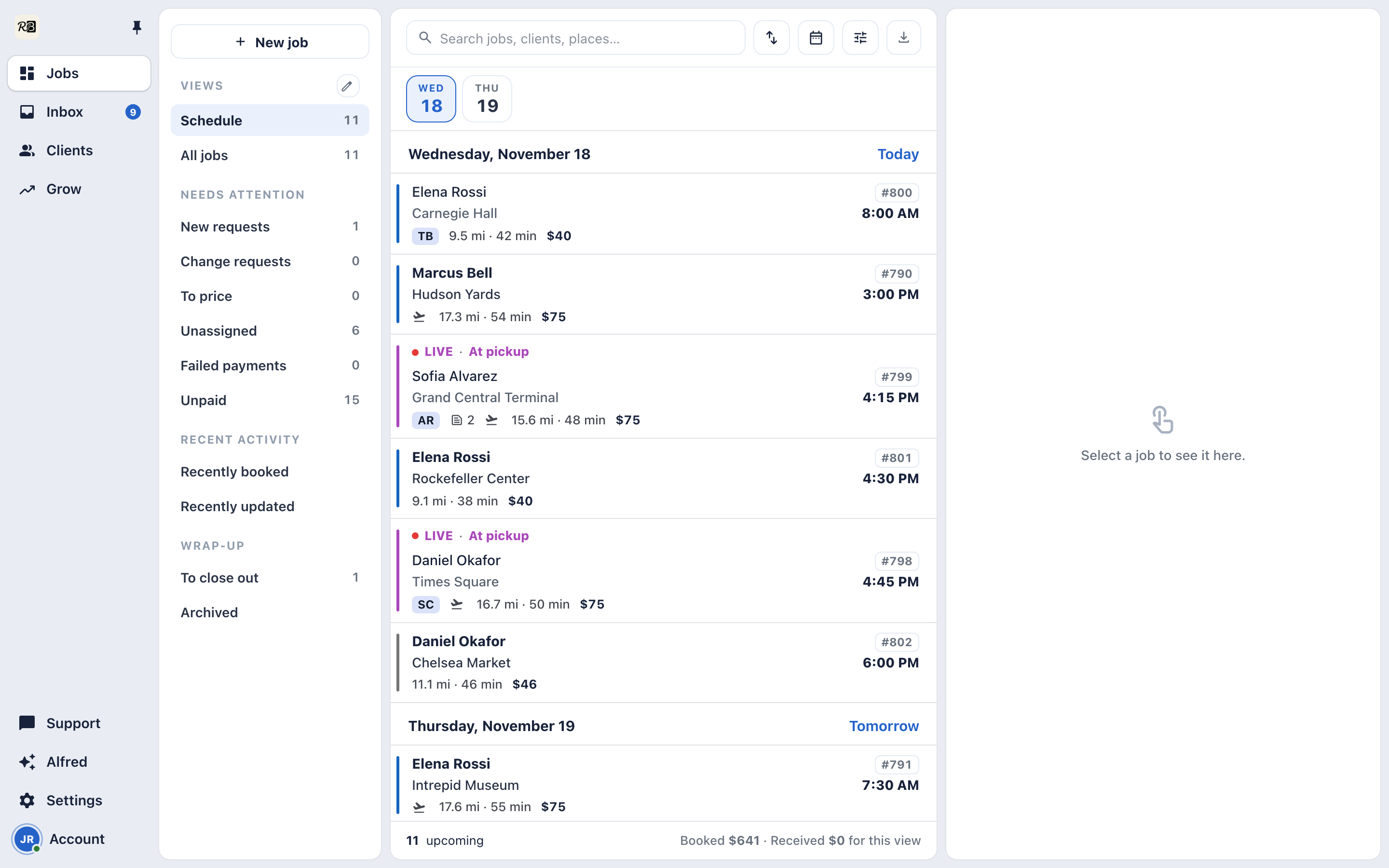
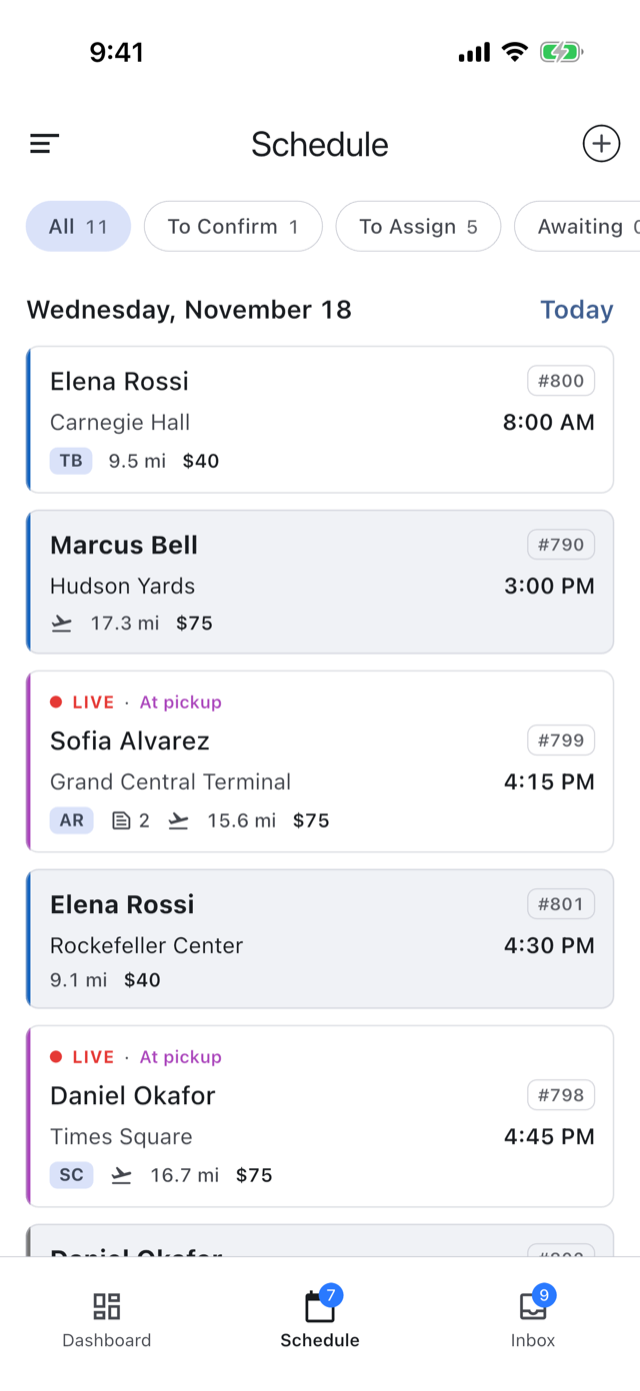
Assign, track and close out every trip from your phone. The same board is on your desk when you want a bigger screen.
Every trip by its pickup time, and what still needs you counted at the top, from trips to confirm to trips to assign.
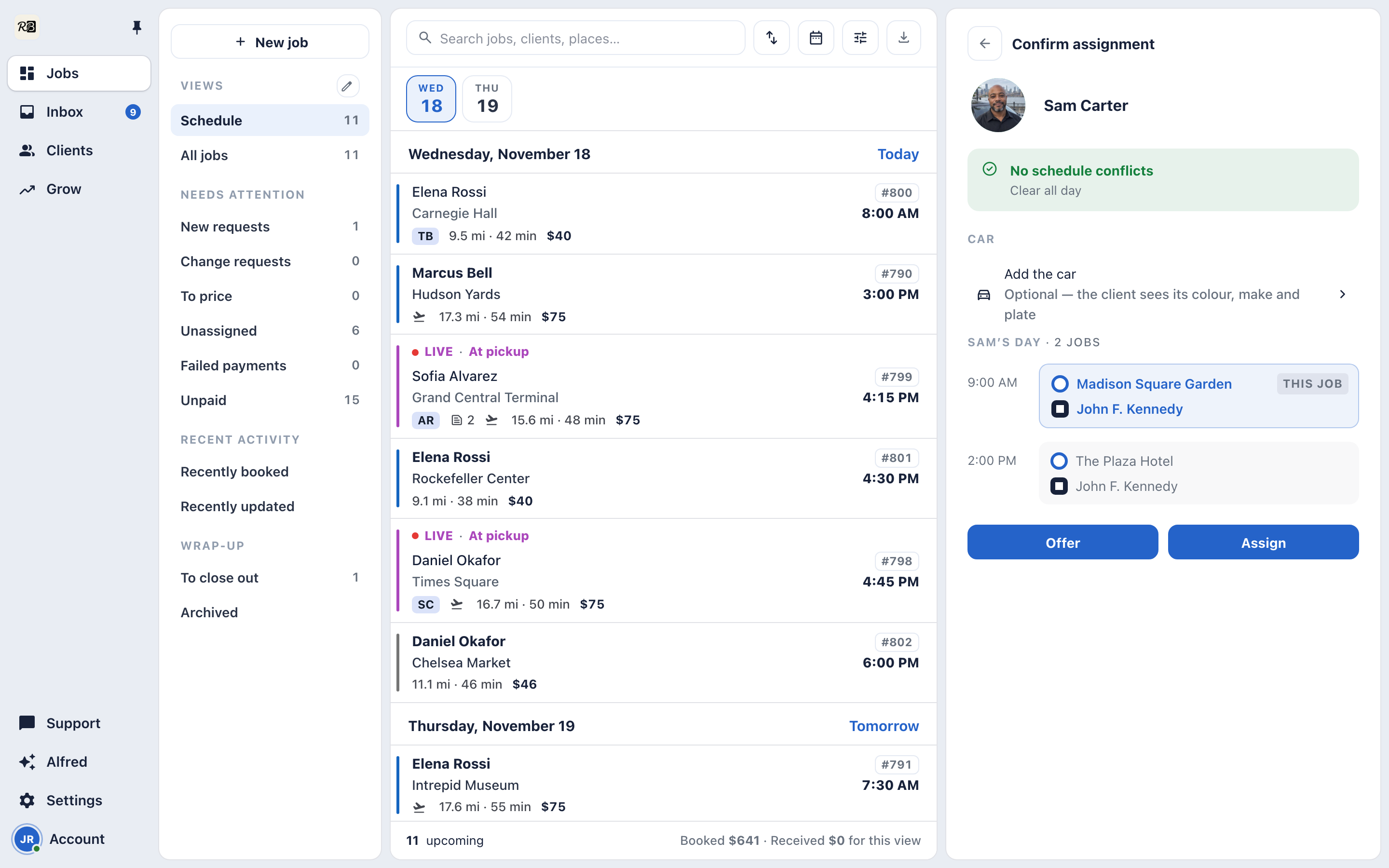
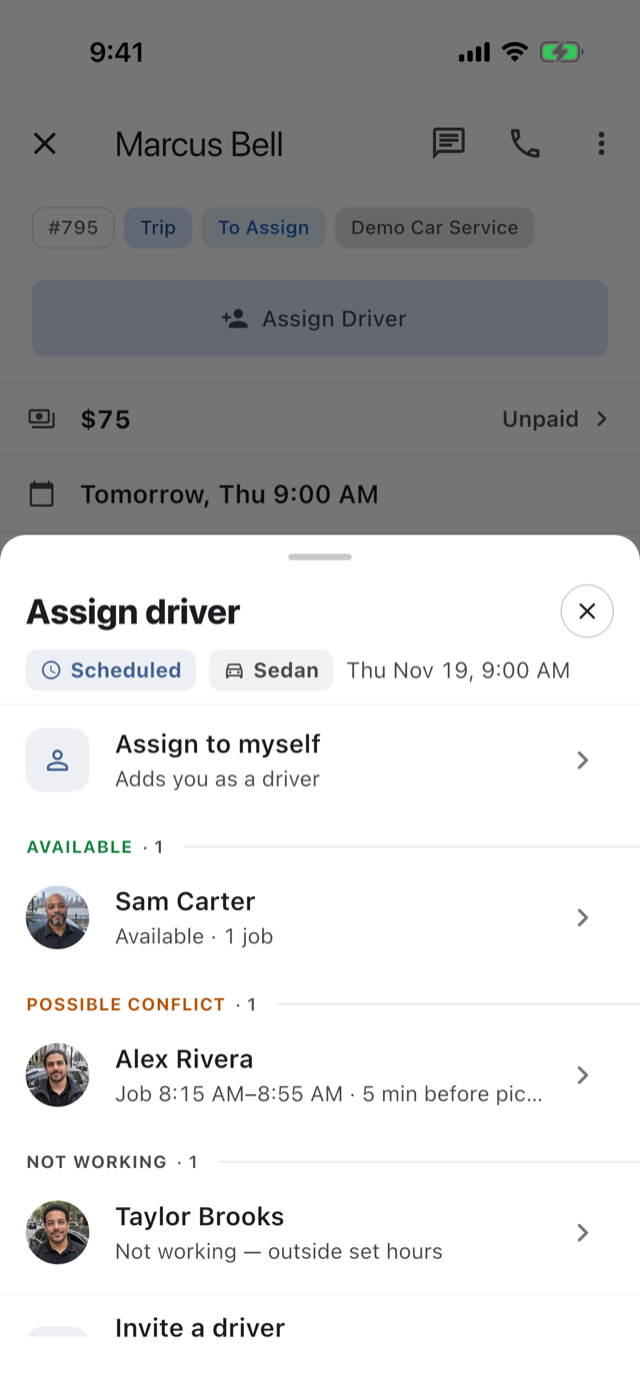
Assign driver sorts your drivers for the booked time into available, possible conflict and not working. Pick one to see their day, then Assign it, or Offer it and let them accept.
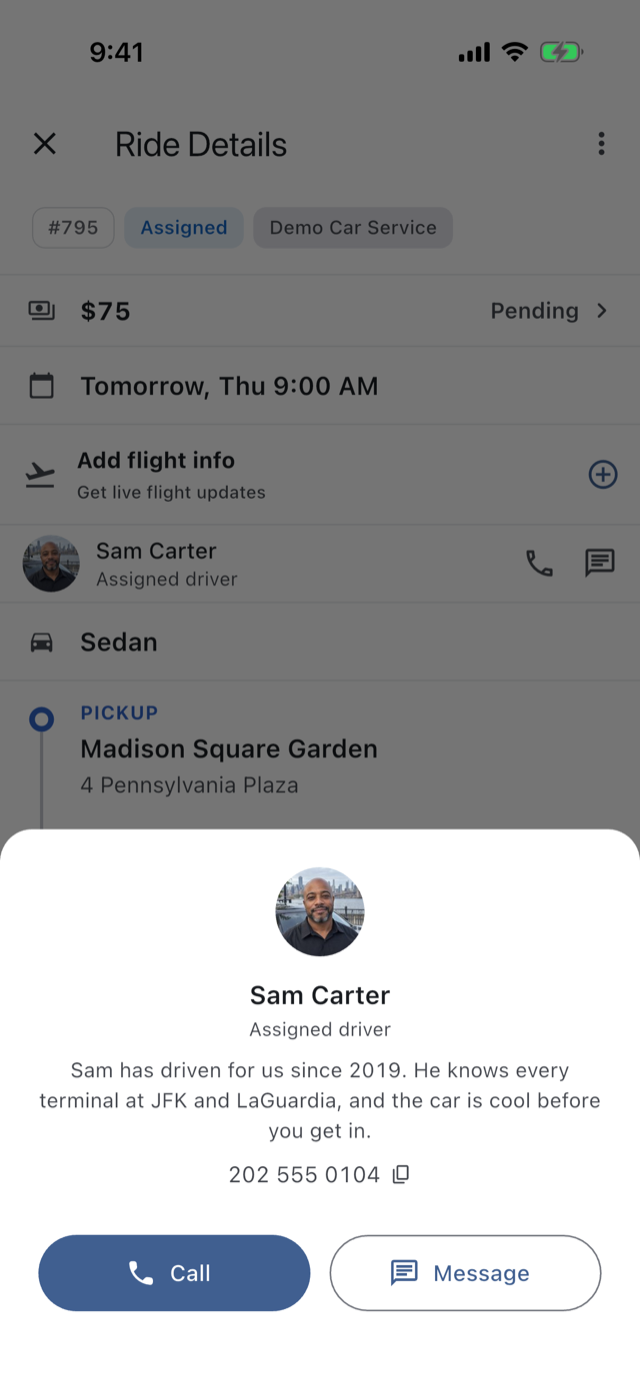
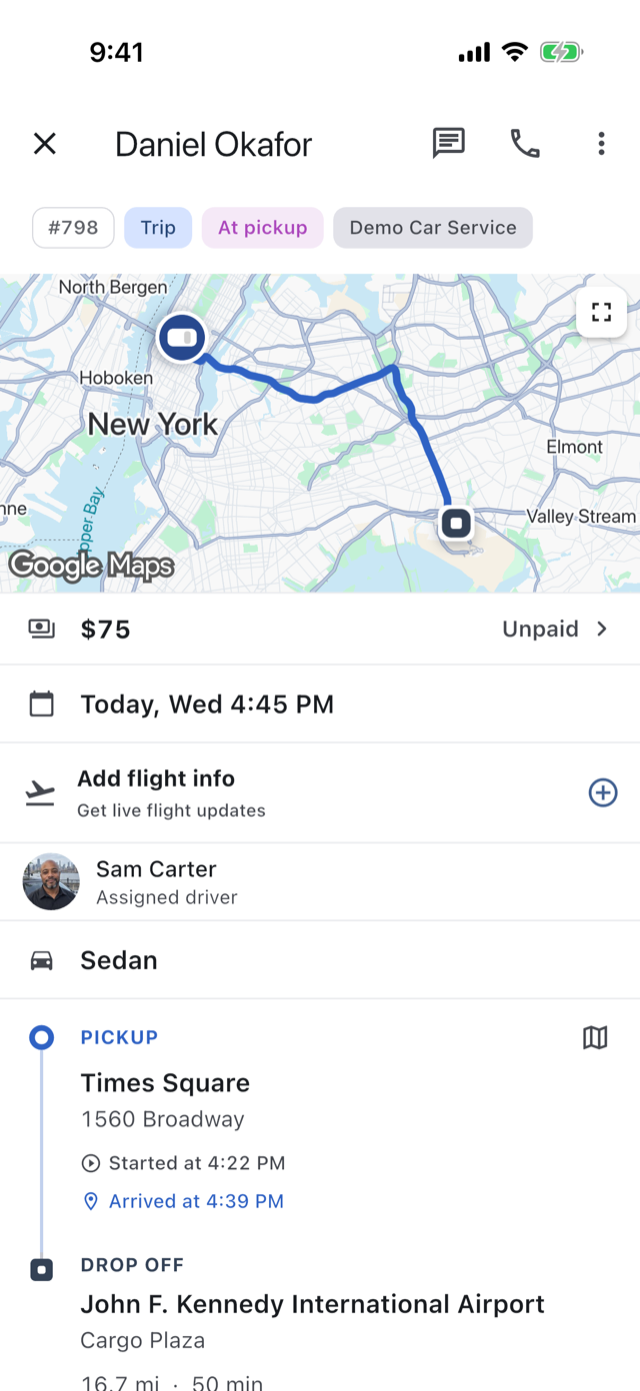
Once a driver is on the trip, your client sees their face and name, a few words you wrote about them, and a tap to call or message.
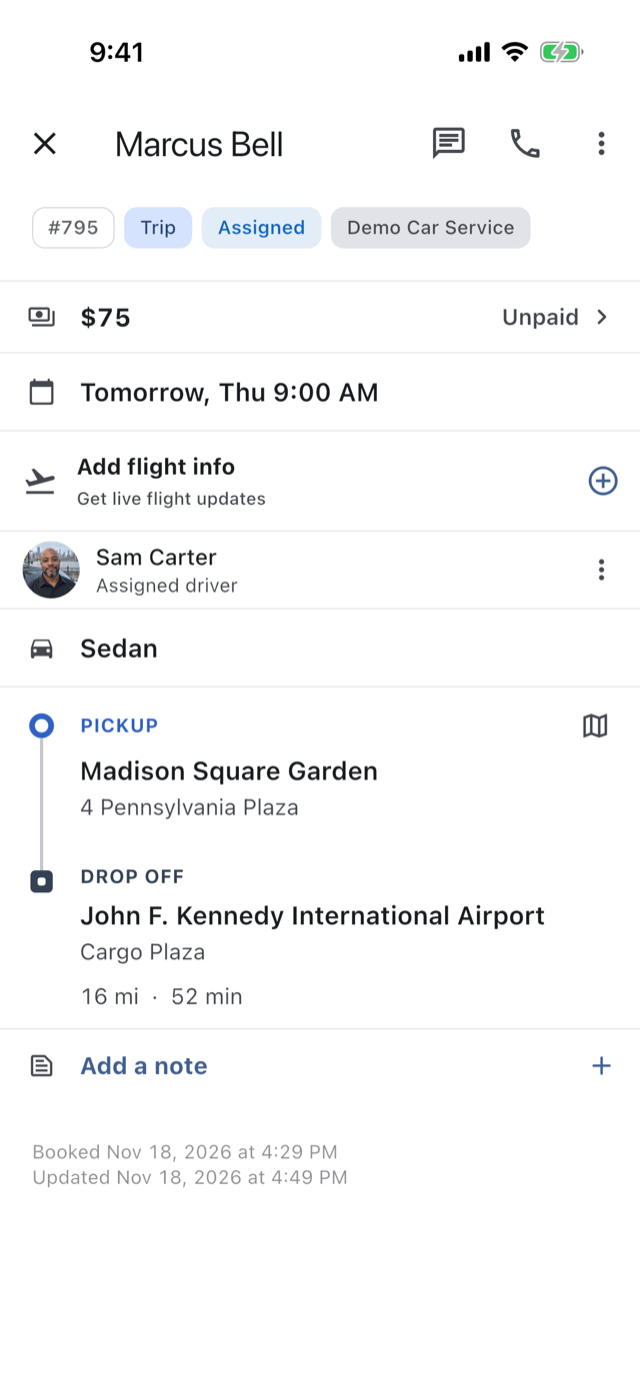
Your driver taps Start Trip, Arrived, Picked Up and Dropped Off as they go, and each step lands on your trip page with its time.
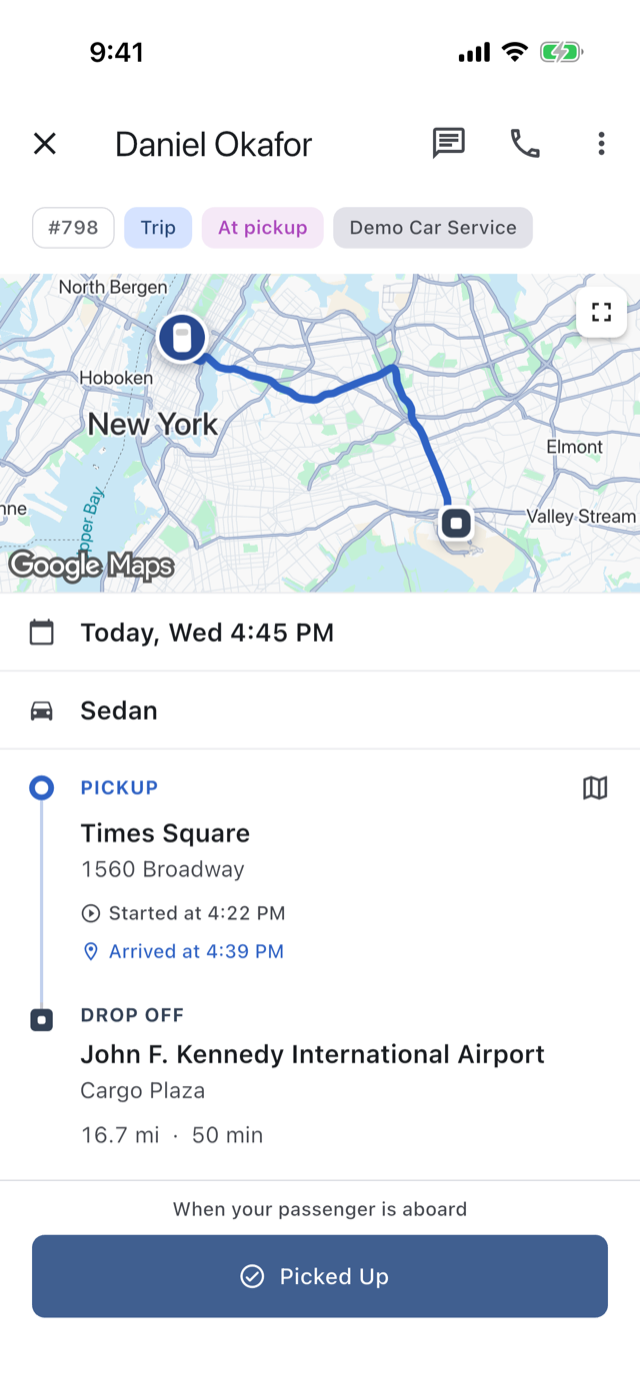
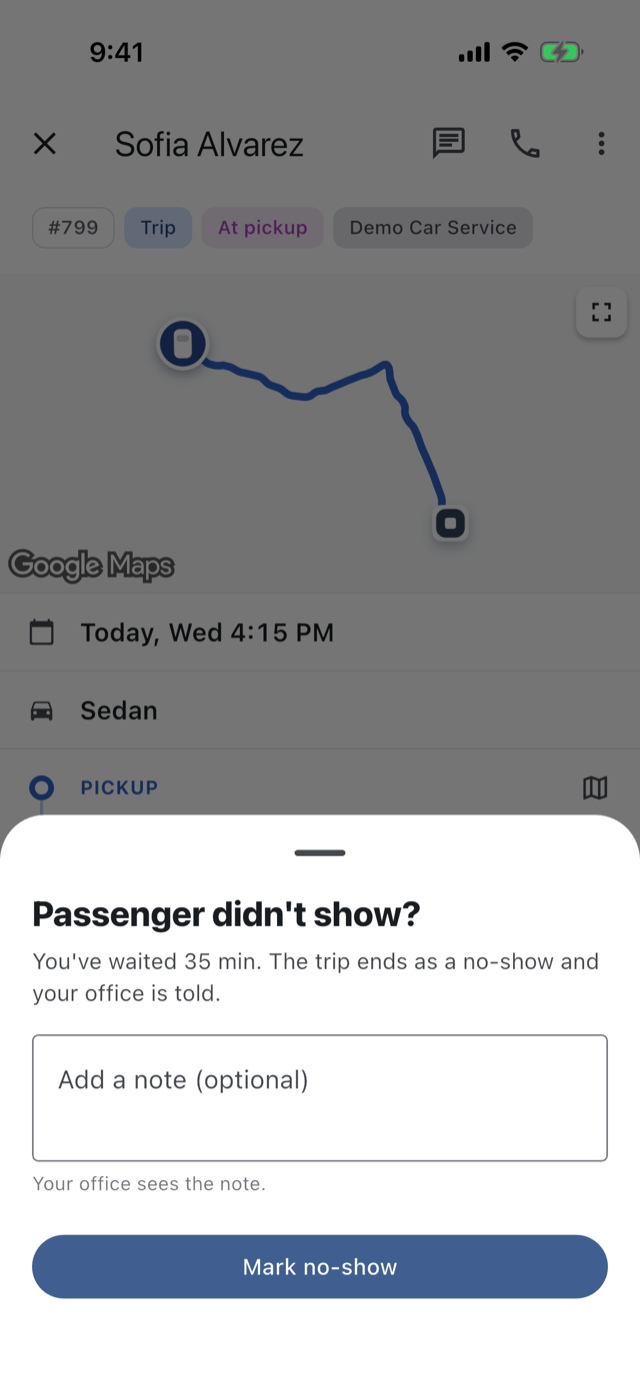
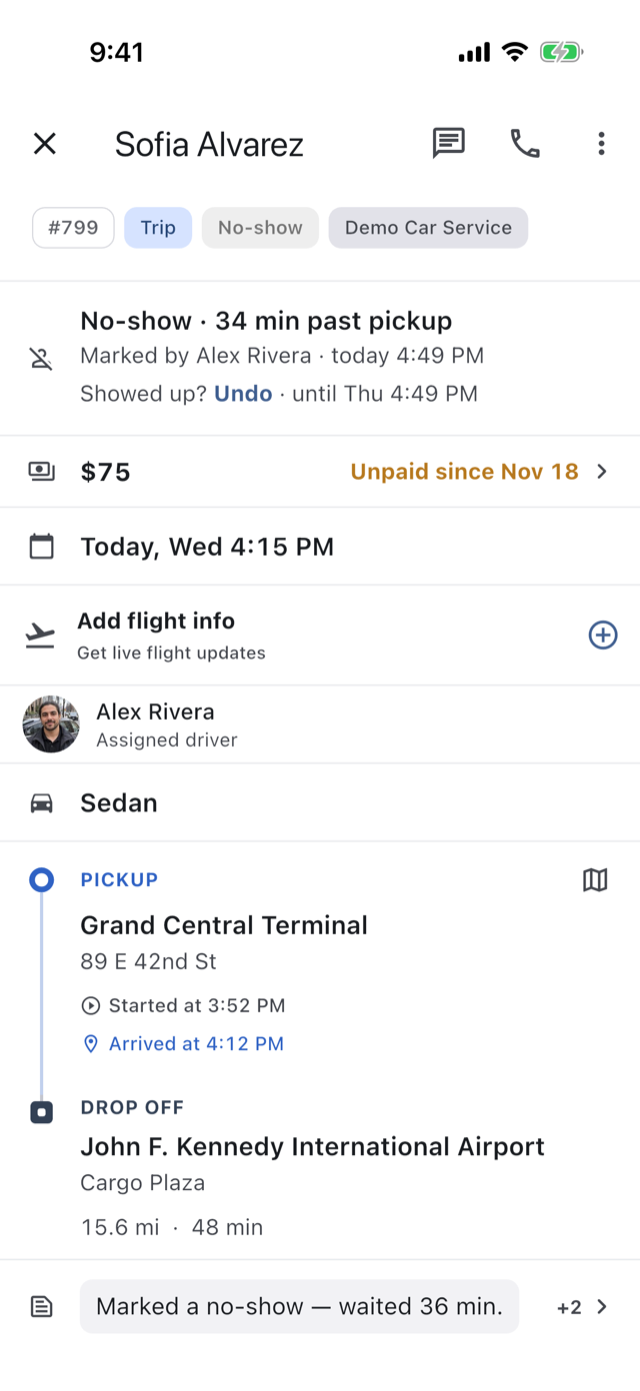
Once your driver has arrived and the pickup time has passed, they can mark a passenger who never came. The price stands, your office is told, your client’s app says “Missed pickup”, and it can be undone.
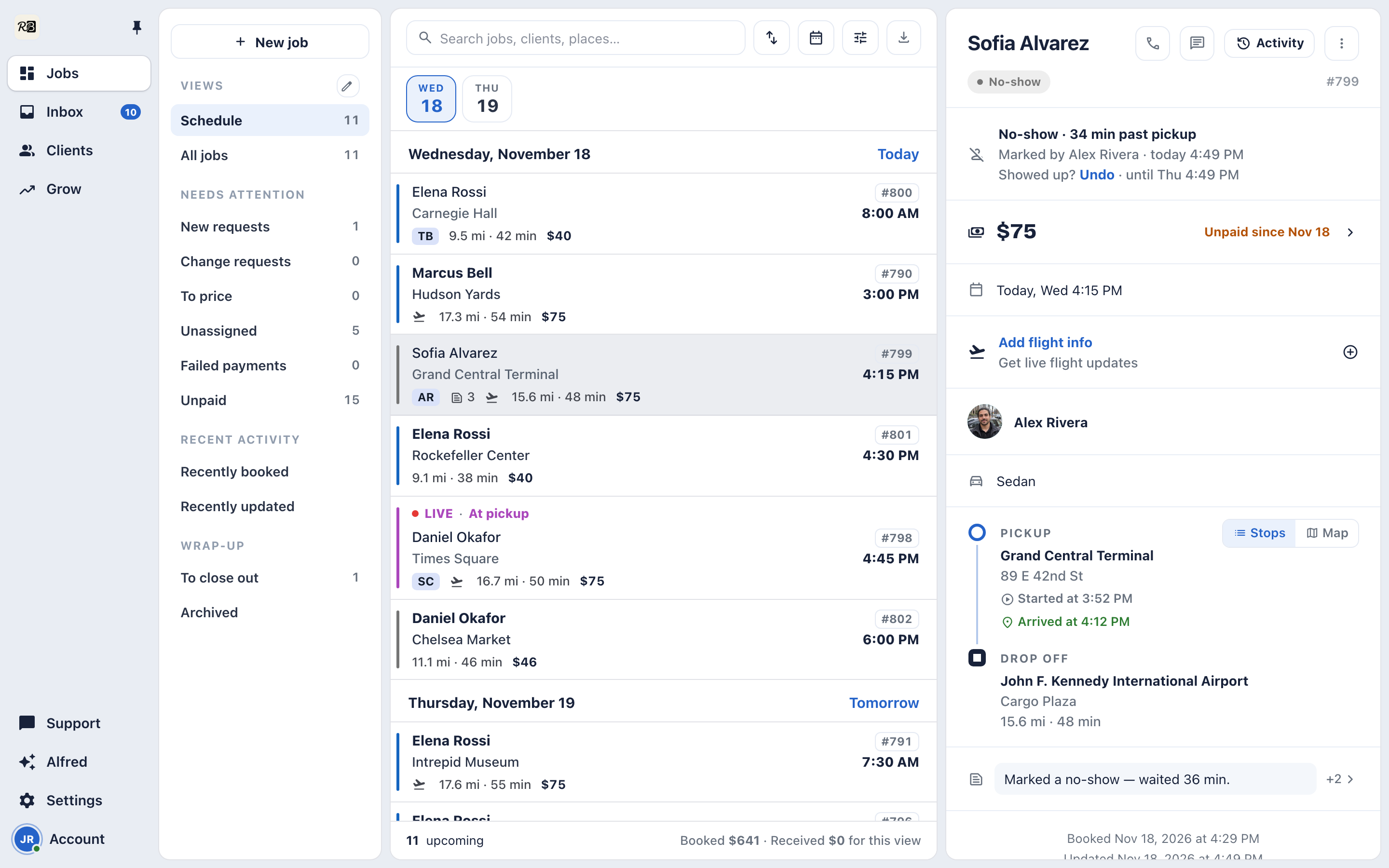
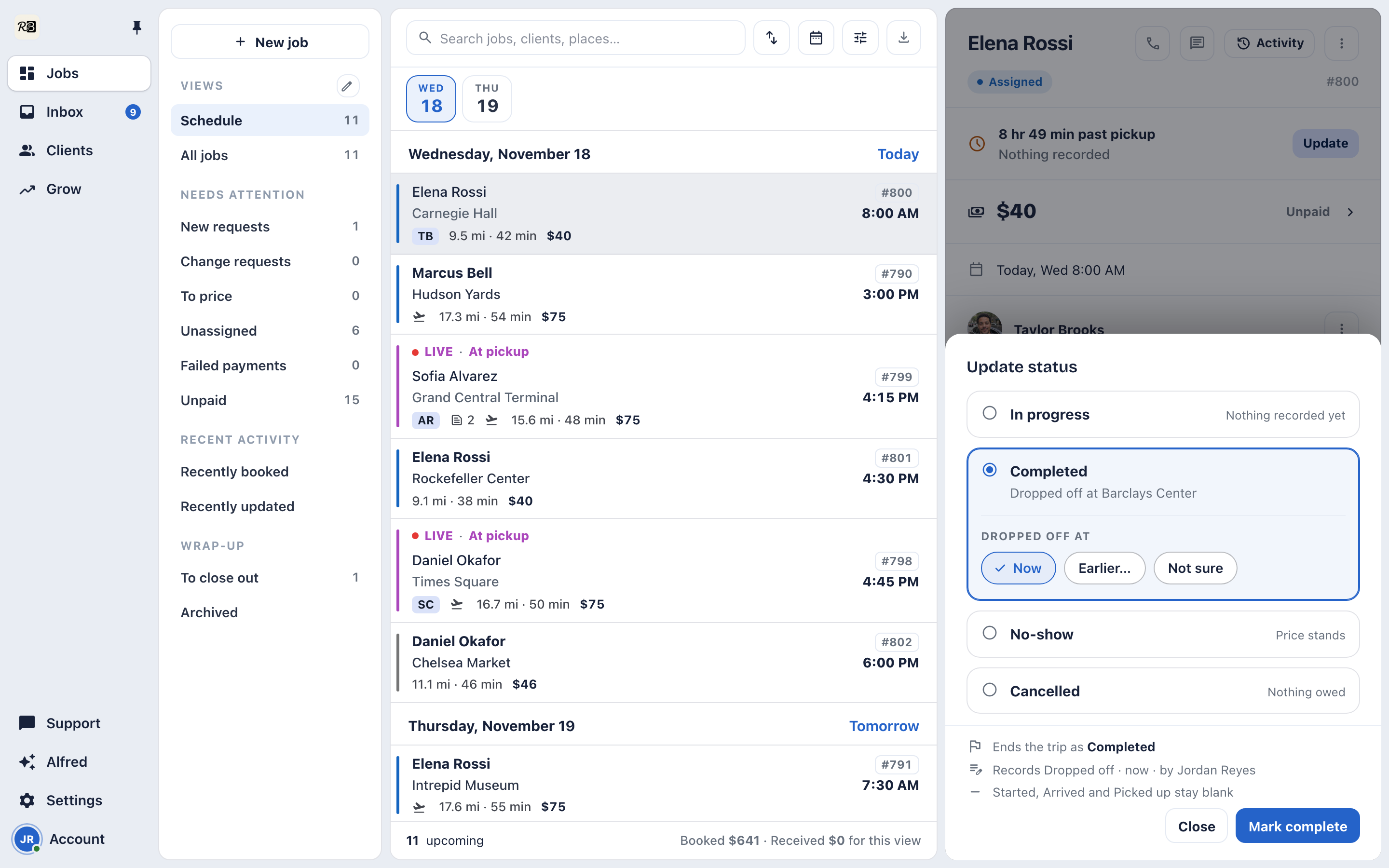
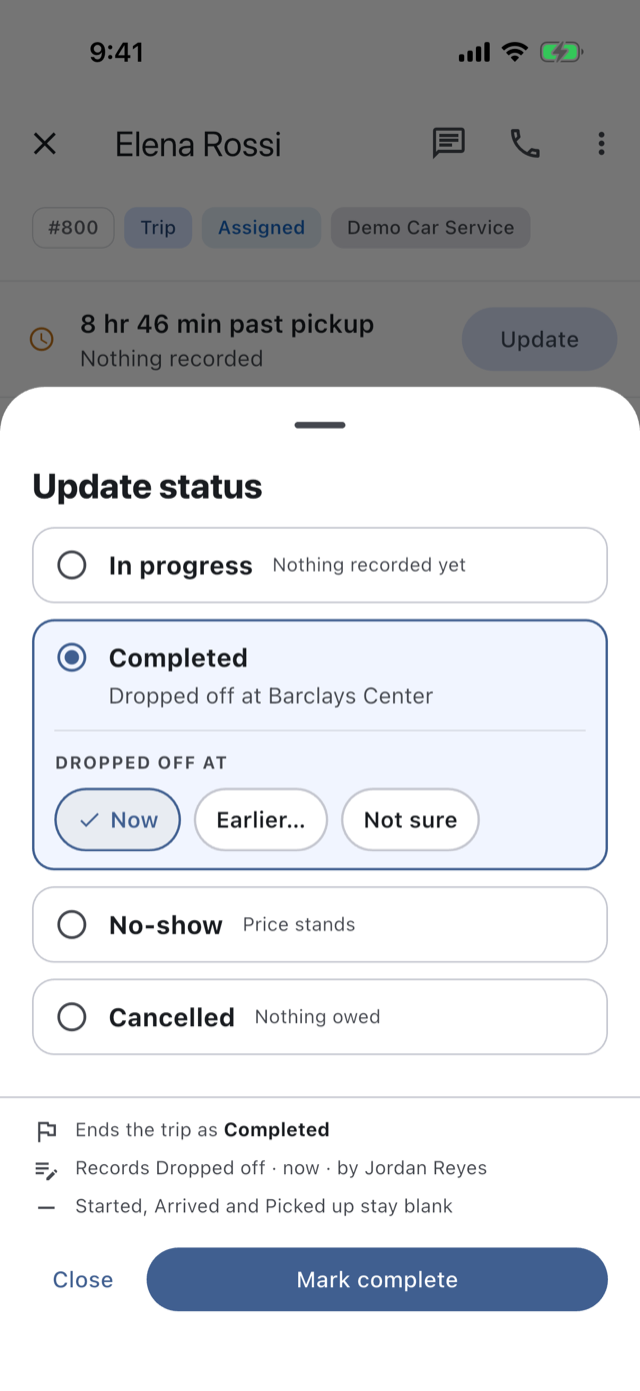
Your office says what happened, in progress, completed, no-show or cancelled, and when. The app writes the record, and tells you what it will record before you save.
Hand a trip to a driver, or send an offer they accept. Invite drivers with a link, add your team, and see who’s available right now for on-demand work.
How it works →A school run, a contract, every weekday. One driver, one or more clients and a repeating schedule, set up once.
When the buttons weren’t pressed, your office records it. In progress, completed, no-show or cancelled. A trip that ran with no driver recorded can still be closed out.
How it works →Mark a first pickup a no-show after its time. The price stands, your client sees “Missed pickup”, and you can undo it.
How it works →Record each car’s name, plate and class, and put one on a trip separately from the driver.
How it works →A photo and a short bio for each driver, shown to the client once assigned and on your booking page.
How it works →Your own trip numbers, colored labels, notes for the driver or for the office only, and the full history of every trip.
How it works →Save a filtered schedule, by dates, status, driver or service, and get it back on any of your devices.
The 14-day trial is the whole app: your booking page, your rates, your drivers, your payments.